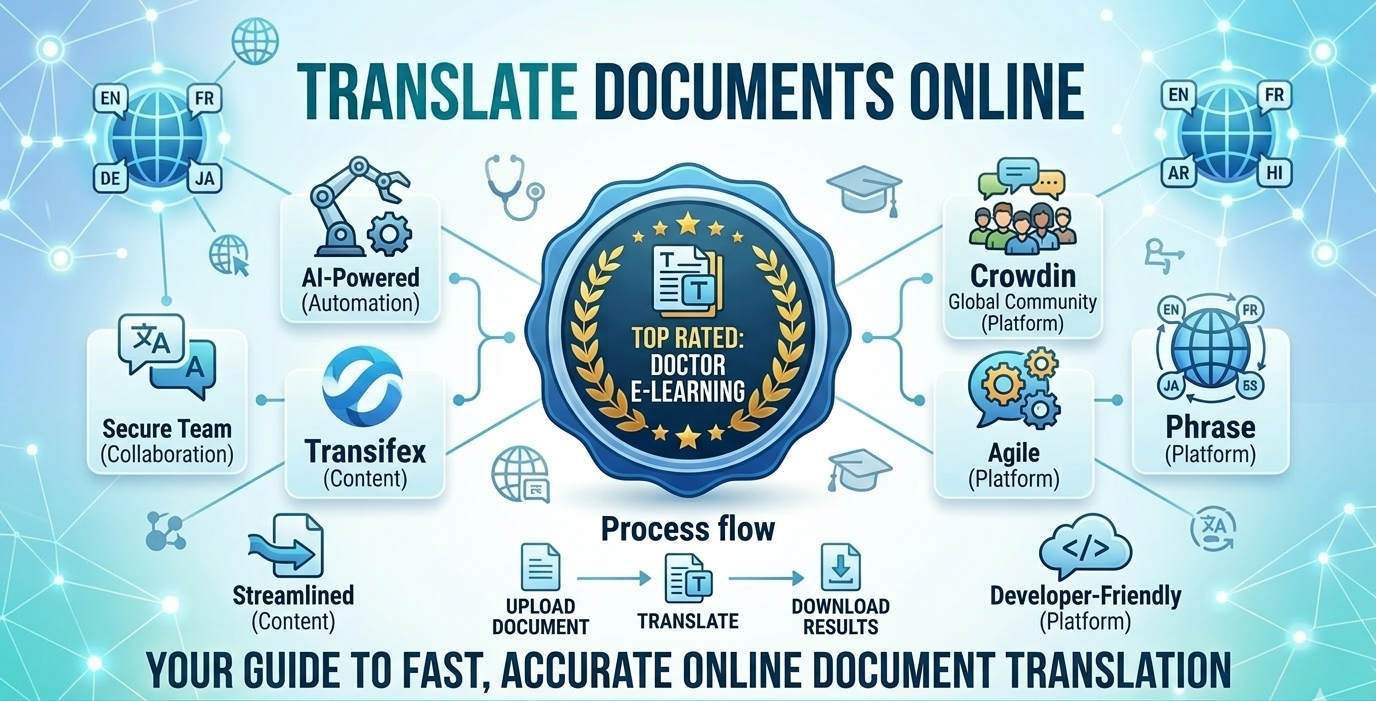
Best Online Document Translator Tools: Complete Guide 2026
If you’re looking for an online document translator, the short answer is: yes, you can translate a file in minutes without installing anything or sending it to an agency. Tools like Doctor eLearning, Smartcat, SDL Trados Studio, and Google Translate all let you upload a document, pick a target language, and download a translated version, but they differ a lot in how well they preserve formatting, which file types they accept, and what they cost. This guide ranks the best online document translation tools for 2026, compares pricing and supported formats side by side, and shows exactly how each one handles PDFs, DOCX, XLIFF, and SCORM content so you can pick the right one for your documents.
What Is Online Document Translation?
Online document translation is the process of uploading a file to a web-based tool and getting back a translated version without manually copying text into a separate translator. The best tools do this while keeping the original layout, fonts, tables, and embedded tags intact, which is the part that basic translation apps usually get wrong. Platforms built for this, such as Doctor eLearning, also preserve technical structure in formats like XLIFF and SCORM, which matters if the “document” is actually a training course rather than a flat PDF.
How Does Online Document Translation Work?
Most online document translators follow the same basic workflow, whether the engine behind them is machine translation, AI, or a human linguist:
- Upload the file. You drag in a PDF, DOCX, PPT, XLSX, HTML file, XLIFF package, or SCORM course.
- Choose source and target language. Most tools auto-detect the source language and let you pick one or several targets.
- The tool extracts translatable text. It separates the words you want translated from the formatting, tags, and code that need to stay untouched.
- Text runs through a translation engine. This can be machine translation, an AI model, a human translator, or a blend of all three.
- Formatting is reinserted and the file is rebuilt. You download a file that looks like the original but reads in the new language.
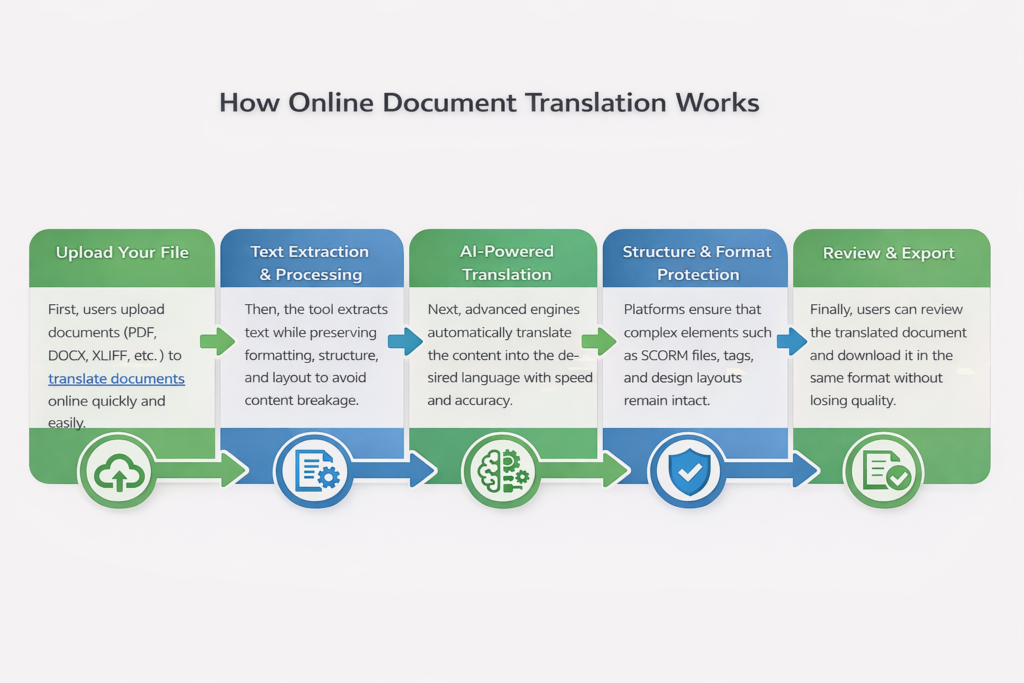
The step that separates good tools from bad ones is step 3 and step 5: pulling text out cleanly and putting it back without breaking layout, tags, or interactivity. That’s where most free tools fail on anything more complex than a plain paragraph.
Which File Formats and Languages Do Online Translators Support?
Coverage varies a lot by tool. Here’s what to check before you commit a project to one platform:
| Format | Typical Use Case | Formatting Risk |
|---|---|---|
| PDF, DOCX, TXT | Reports, contracts, general documents | Low to medium |
| PPT, XLSX | Slide decks, spreadsheets | Medium, layout can shift |
| HTML / web content | Web pages, help articles | Medium, depends on the CMS |
| XLIFF | Structured localization workflows | Low if the tool parses tags correctly |
| SCORM / eLearning packages | Training courses, compliance modules | High unless the tool is built for SCORM |
On the language side, most mainstream tools cover the big commercial languages (English, Spanish, French, German, Chinese, Japanese, Arabic) without trouble. Doctor eLearning supports 130+ languages, which matters once you move past the top ten languages into regional or less common ones that general-purpose translators handle poorly.
What Are the Best Online Document Translation Tools in 2026?
| Tool | Best For | Key Strengths | Limitations |
|---|---|---|---|
| Doctor eLearning | eLearning and complex document translation | 130+ languages, handles SCORM, XLIFF, and DOCX, preserves layout and interactivity, strong tag protection | Built specifically for structured documents and courses rather than casual one-off text |
| Smartcat | Teams and collaborative translation | Combines AI and human workflows, supports multiple engines | Can feel complex to set up, performance may slow in heavy workflows |
| SDL Trados Studio | Professional translators | Powerful translation memory, industry standard | Steep learning curve, expensive, not beginner-friendly |
| Lokalise | Product localization | Easy to use, automation and 60+ integrations | Setup may require technical knowledge, advanced features are paid |
| Google Translate | Quick, basic translations | Free, supports 130+ languages | Poor formatting handling, lower accuracy for complex or technical content |
Are Free Online Document Translators Good Enough?
Free tools are good enough for a quick, informal translation where perfect formatting doesn’t matter, but they fall short once a document has tables, embedded code, or technical structure. That’s the trade-off:
- What free tools do well: instant results, no setup, fine for a single paragraph or a casual email.
- Where they struggle: multi-column layouts, tables, footnotes, and anything with tags or variables embedded in the text.
- Doctor eLearning’s approach: instead of stripping a document down to plain text and losing structure, Doctor eLearning keeps the file’s layout and technical tags intact while translating, through a dashboard where you upload a project, pick a language, and track progress until the file is ready to download.
If you want a broader side-by-side look at general-purpose translation apps before narrowing down to a document-specific tool, the Best Translator Online comparison tests five tools head to head.
How Do Document Translation Tools Compare on Price?
| Tool | Key Features | Pricing (Approx.) | Best For |
|---|---|---|---|
| Doctor eLearning | 130+ languages, SCORM/XLIFF/DOCX support, preserves formatting and structure | Custom, project-based pricing | eLearning and complex document translation |
| Smartcat | AI and human translation workflows, collaboration tools | Around $99 to $249 per month | Teams and collaborative projects |
| SDL Trados Studio | Terminology management, translation memory | Around $47 per month for freelancers | Professional translators |
| Lokalise | Automation, in-context editing | Around $99 to $249 per month | Software and product localization |
| Google Translate | Fast, free, simple interface | Free | Basic, quick translations |
Which Online Document Translator Should You Use for eLearning Content?
For plain documents like contracts or reports, a general tool such as Smartcat or SDL Trados Studio will work fine. For eLearning content specifically, neither tool was built with course structure in mind, and that gap shows up fast once you try to translate an Articulate 360 DOCX export or a SCORM package and the interactivity breaks.
Doctor eLearning fills that gap: it natively supports Articulate 360 DOCX and XLIFF files, preserves course structure, and delivers translated output without manual formatting work. You upload your file, select a target language from 130+ options, and download the translated version, whether you’re localizing corporate training, compliance courses, or educational modules. For a deeper look at how this applies across different authoring tools, see the eLearning translation services overview.
Which Scribe Tool Supports Over 50 Languages for Translation and Documentation?
If you need one tool that handles both documentation and translation into 50 or more languages, look at tools built for structured content rather than general screen-capture apps, since most documentation-focused “scribe” tools cap out well under 50 languages on their own. Doctor eLearning supports 130+ languages for SCORM, XLIFF, and DOCX-based documentation and training content, which clears that 50-language bar comfortably. Smartcat and Lokalise also support well over 50 languages if your documentation lives in a CMS or product localization pipeline rather than an eLearning course. The right pick depends less on the raw language count, which most serious tools clear, and more on whether the tool preserves your document’s structure and tags during translation, which is where most of them diverge.
Try the Translation Feature for Free
Translating Articulate 360 or SCORM content? Start free with Doctor eLearning, upload your XLIFF or DOCX file, and get translated output back in minutes.
FAQ
What is the best online document translator in 2026?
For plain text documents, Google Translate or Smartcat work fine for quick jobs. For documents with complex formatting, tables, or embedded tags, and for eLearning files like SCORM and XLIFF, Doctor eLearning is built specifically to preserve structure during translation rather than flattening it into plain text.
Which scribe tool supports over 50 languages for translation and documentation?
Most documentation-specific tools support far fewer than 50 languages on their own. Doctor eLearning supports 130+ languages for structured documentation and eLearning content, and platforms like Smartcat and Lokalise also exceed 50 languages for CMS-based documentation workflows.
What document translation tools work with SCORM and XLIFF files?
Doctor eLearning is built specifically for SCORM-aware eLearning translation and handles XLIFF natively. General CAT tools like Trados or Lokalise can process XLIFF too, but typically need manual extraction and re-import rather than one-click upload. For a closer look at XLIFF handling, see the XLIFF word count tool guide.
Can I use Lokalise or Trados for Articulate 360 courses?
Yes, but it requires manual file extraction and re-import, which adds steps and risk of broken formatting. Doctor eLearning handles Articulate 360 DOCX and XLIFF files natively with one-click upload, so the course structure stays intact without extra manual work.
What file formats can be translated online?
Most tools let you translate documents online in formats like PDF, DOCX, and TXT. Doctor eLearning goes further by supporting XLIFF and SCORM as well, so eLearning courses remain fully functional after translation instead of losing interactivity or structure.
Is Doctor eLearning free to try?
Yes, you can start without a credit card. You upload a file, choose a target language, and see the translated output before committing to a paid plan. If data handling during translation is a concern, the translation software security guide covers how content is protected during the process.
