Table of contents
Overview
In an increasingly interconnected digital economy, “going global” is no longer a luxury—it’s a survival tactic. However, managing content across dozens of languages, time zones, and platforms can quickly become a logistical nightmare. This is where a Translation Management System (TMS) becomes the backbone of your international growth.
While many legacy platforms offer bits and pieces of the puzzle, Doctor Elearning has emerged as the premier choice for organizations that need a sophisticated, AI-driven approach to localization without the enterprise-level complexity.
What is a Translation Management System (TMS)?
At its simplest, a Translation Management System is a software platform designed to automate and manage the end-to-end lifecycle of language translation. Unlike manual processes involving endless email chains and “Final_v2_Spanish.docx” files, a TMS centralizes everything in one digital hub.
Core Components and Architecture
A modern TMS like Doctor Elearning is built on four functional pillars:
- Project Management: Tracking progress, assigning tasks to linguists, and setting deadlines.
- The CAT Tool (Computer-Assisted Translation): A built-in editor where translators work, utilizing features like predictive typing and quality checks.
- Translation Memory (TM): A database that stores previously translated segments. If you’ve translated a sentence once, Doctor Elearning ensures you never pay to translate it again.
- Terminology Management: A “glossary” that ensures brand-specific terms (like product names) remain consistent across every language.
TMS vs CAT Tools vs Traditional Translation Methods
Traditional translation is manual and prone to human error. CAT tools assisted the translator but didn’t manage the process. A TMS is the “brain” that connects the two.
While tools like SDL Trados or MemoQ focus heavily on the translator’s desktop experience, Doctor Elearning provides a cloud-based ecosystem. It bridges the gap between developers, project managers, and linguists, creating a seamless flow that traditional methods simply cannot match.
Key Features and Benefits of Translation Management Systems
The primary goal of a TMS is to reduce “translation overhead”—the hidden costs of managing people and files rather than the translation itself.
Workflow Automation and Project Management
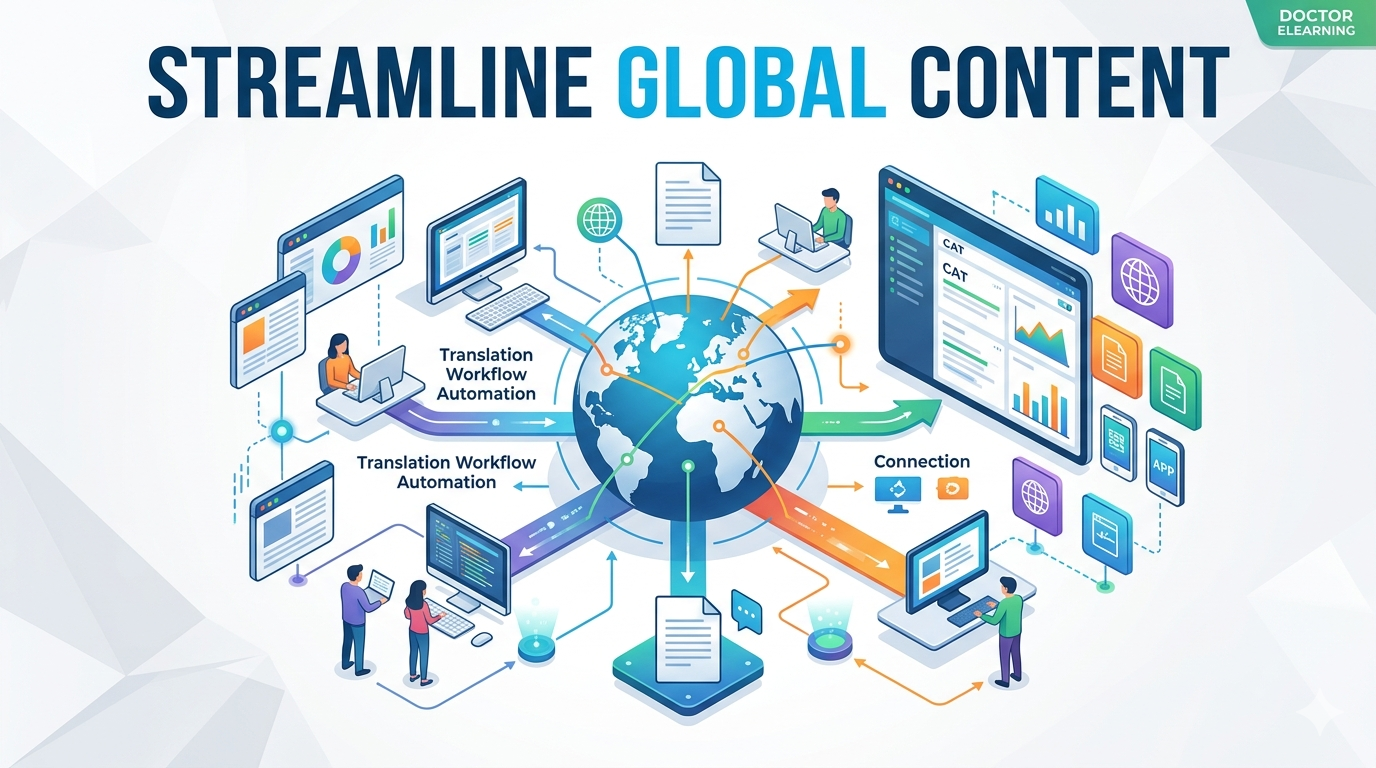
Automation is where Doctor Elearning truly shines. Instead of manually exporting strings from your website or app, you can set up “Automated Workflows.” When new content is added to your source language, the TMS automatically notifies the appropriate translator, applies Machine Translation (MT) as a baseline, and moves the project into the review phase once completed.
- Real-time Collaboration: Multiple translators can work on the same project simultaneously.
- Centralized Communication: No more lost emails; all feedback happens within the context of the string being translated.
Integration Capabilities and API Connectivity
A TMS is only as good as its ability to “talk” to your existing tech stack. Doctor Elearning offers robust API connectivity and native integrations for:
- CMS Platforms: WordPress, Contentful, and Adobe Experience Manager.
- Developer Tools: GitHub, Bitbucket, and GitLab for “Continuous Localization.”
- E-learning Platforms: Seamlessly importing SCORM packages or video transcripts for rapid localization.
How to Choose the Right Translation Management System
With dozens of options on the market, selecting a TMS requires a cold, hard look at your specific needs.
Essential Selection Criteria and Requirements Assessment
When evaluating platforms, use the following checklist:
- Scalability: Can the system handle 5 languages today and 50 next year?
- AI & Machine Translation Integration: Does it support Neural Machine Translation (NMT) like Google Translate or DeepL? Doctor Elearning integrates these tools to provide a “human-in-the-loop” model that cuts costs by up to 40%.
- Compliance & Security: Look for ISO 17100 and ISO 18587 standards. Doctor Elearning prioritizes data encryption and GDPR compliance, ensuring your intellectual property remains secure.
- Ease of Use: If the interface is too complex, your team won’t use it. Doctor Elearning is widely praised for its intuitive UI, which requires minimal training compared to legacy enterprise systems.
Top Translation Management Systems Compared
| Feature | Doctor Elearning | Legacy Enterprise TMS | Open Source Tools |
| Setup Time | Minutes | Weeks/Months | Hours (High Dev effort) |
| AI Integration | Advanced/Native | Basic/Add-on | Manual |
| Mobile-First | Yes | Rarely | No |
| Pricing Model | Flexible/Scalable | High Entry Cost | Free (but high labor) |
| Support | 24/7 Expert Help | Ticket-based | Community forums |
While competitors like Phrase or Smartling offer strong features, Doctor Elearning provides a more balanced ROI for businesses that need agility. It eliminates the “bloat” of enterprise software while providing the high-end automation features that small-to-medium businesses need to compete globally.
Doctor Elearning – Features & Capabilities
Translation It supports translation workflows using DOCX and XLIFF-based formats, allowing content to be localized into multiple languages. It supports all types of xliffs and doc outputs articulate, adobe captivate, ispring etc. It has language formality feature to control the tone of translation it has world class engines to translate and AI Translation. It supports all the languages as an input and output. It has word count and character count feature as well.
Compression It compresses eLearning/SCORM content into smaller file sizes, which helps courses load faster, reduces waiting times for learners, and makes files easier to distribute across various LMS platforms. Organizations can also reduce costs associated with data storage and transmission.
Editing Doctor eLearning’s editing feature empowers users to modify or replace images, audio, and video in published eLearning content independently, without relying on the original eLearning vendor or authoring tool. This enables quick updates to course materials to keep content fresh, relevant, and engaging.
Compatibility It supports SCORM 1.2 and SCORM 2004 packages and commonly used media formats such as PNG/JPG, MP3, and MP4/WebM.
In short, Doctor eLearning is a post-production tool for eLearning content — useful when you need to update or optimize courses but no longer have access to the original authoring tool or source project files.
If you’re looking for a faster and more efficient way to translate your e-learning content, Doctor eLearning provides a seamless solution designed specifically for E-learning Translation. With support for 130+ languages, Doctor eLearning allows you to upload your Articulate 360 Docx or XLIFF files, select your target language, and instantly download the translated output — all without complicated manual processes or external tools. Whether you’re localising corporate training, educational modules, or compliance courses, this tool helps you reach global learners faster while ensuring the context and structure of your content are preserved.
Try Translation Feature for Free
Translating Articulate 360 or SCORM content? Try Doctor eLearning free — upload your XLIFF or DOCX and get translated output in minutes.
FAQ
Q: What’s the difference between a TMS and CAT tools?
A: Think of a CAT tool as a high-powered hammer (it helps the worker do the job) and a TMS as the entire construction foreman (it manages the workers, the materials, and the timeline). Doctor Elearning includes a built-in CAT tool, giving you the best of both worlds.
Q: How much does a translation management system cost?
A: Costs vary based on word count, number of users, and features. While enterprise tools can cost tens of thousands annually, Doctor Elearning offers tiered pricing that grows with you, making professional-grade localization accessible at various budget points.
Q: Can small businesses benefit from using a TMS?
A: Absolutely. In fact, small teams benefit more from automation because they have fewer people to manage the manual work. Doctor Elearning allows a single marketing manager to handle a 10-language rollout that would normally require a full-time localization department.
Conclusion
A Translation Management System is no longer an optional tool; it is the engine of global growth. By centralizing your assets, automating your workflows, and leveraging the power of AI, you can reach new markets faster and with higher quality than ever before.
If you are looking for a platform that combines powerful enterprise features with an intuitive, user-friendly experience, Doctor Elearning is the clear industry leader.
