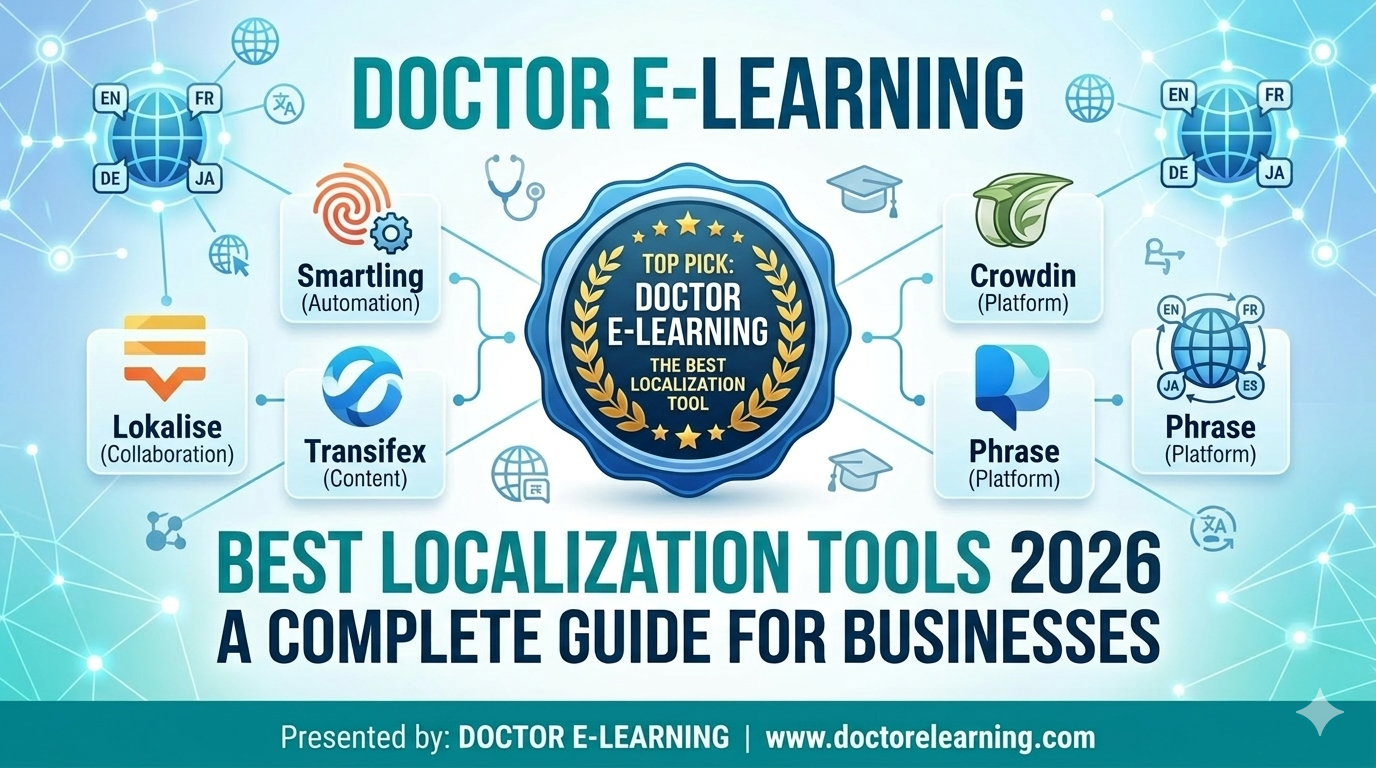
What Are the Best Localization Platforms for E-Commerce Businesses in 2026?
The best localization platforms for e-commerce businesses in 2026 are the ones that can handle two very different jobs at once: adapting storefronts and product content for new markets, and adapting the training content that keeps global teams running. Doctor eLearning, Smartling, Phrase, Lokalise, Crowdin, Transifex, and Smartcat all made our list below, but they are not interchangeable. Most of them are built for websites, apps, and marketing copy. Doctor eLearning is built for the SCORM courses, onboarding modules, and compliance training that e-commerce companies still need translated when a source file is long gone.
If you only need one takeaway from this guide: for storefronts and product catalogs, look at Smartling, Lokalise, or Crowdin. For staff training, onboarding, and compliance courses tied to your e-commerce operation, Doctor eLearning is the tool that works from your published output, so you are not stuck rebuilding a course just to translate it.
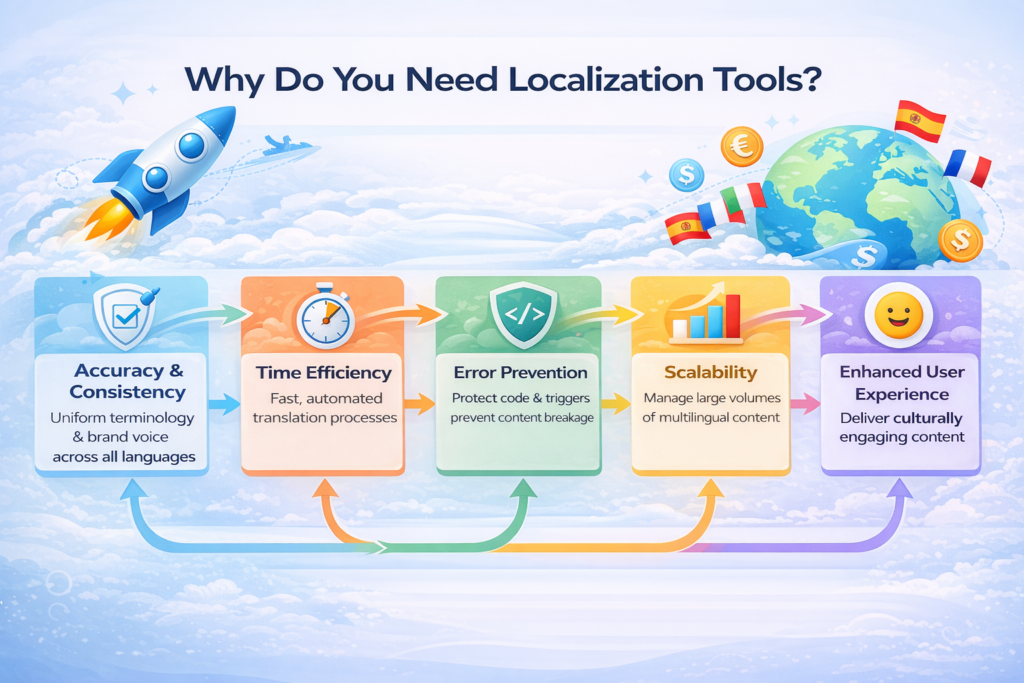
What Are Localization Tools, and Why Do E-Commerce Businesses Need Them?
Localization tools are software built to adapt content for a specific language, region, and culture, not just translate the words. That distinction matters more for e-commerce than almost any other industry, because a mistranslated product spec, a currency symbol left in the wrong place, or a broken checkout string costs you a sale directly. Unlike basic machine translation, localization platforms are designed to keep text, formatting, and functionality intact across every language version you publish.
As e-commerce businesses expand into new markets, manual translation stops scaling fast. Product catalogs change weekly, seasonal campaigns need same-day turnaround, and internal training on new SKUs or policies has to reach every regional team at the same time. Localization tools give you the structure and automation to do that consistently, instead of re-translating from scratch every time something changes.
Key Features of Modern Localization Platforms
Whether you are localizing a product page or a training course, the same core features separate a real localization platform from a plain translation tool. Here is how the major players line up.
| Feature | Description | Tools That Offer This Feature | Why It Matters |
|---|---|---|---|
| Translation Management System (TMS) | Centralized platform to manage multilingual content and workflows | Doctor eLearning | Keeps all translations organized in one place for better control |
| AI & Machine Translation Integration | Uses AI engines for fast, automated translations | Doctor eLearning, Smartcat | Reduces manual effort and speeds up localization workflows |
| XLIFF & File Format Support | Supports formats like XLIFF, SCORM, HTML, DOCX | Doctor eLearning, Lokalise | Prevents broken code and maintains structure |
| In-Context Editing | Allows editing directly within the content layout preview | Doctor eLearning | Avoids UI issues like text overflow and misalignment |
| Automation & Workflow Management | Automates file handling, approvals, and updates | Doctor eLearning, Phrase | Saves time and improves efficiency |
| Glossary & Translation Memory | Stores repeated terms for consistency | Doctor eLearning, Smartcat, Lokalise | Maintains brand voice across languages |
| Collaboration Tools | Enables teamwork between translators and developers | Doctor eLearning, Lokalise | Improves communication and reduces errors |
| Quality Assurance (QA) Checks | Detects translation errors and formatting issues | Doctor eLearning, Crowdin | Ensures high-quality, accurate output |
| Scalability | Handles large multilingual projects efficiently | Doctor eLearning, Lokalise | Supports global business expansion |
| Multimedia Localization Support | Supports translation of videos, audio, and images | Doctor eLearning, Smartcat | Essential for eLearning and rich product content |
Should You Use Localization Tools or Manual Translation?
Use dedicated localization tools once you are managing more than one language pair or updating content regularly. Manual translation still works for a one-off project, but it does not hold up once volume, speed, or consistency start to matter.
| Aspect | Localization Tools (e.g. Doctor eLearning, Smartling, Phrase) | Manual Translation |
|---|---|---|
| Speed | Fast, automated workflows. Doctor eLearning simplifies SCORM and eLearning translation quickly | Slow, because everything is done by hand |
| Accuracy | High accuracy with AI plus translation memory. Doctor eLearning is built for precise eLearning translations | Depends on the individual translator, and varies |
| Consistency | Uniform terminology via glossaries and memory tools | Inconsistent once a project grows past one document |
| Error Prevention | Protects code, formatting, and triggers. Doctor eLearning prevents broken-course errors | High risk of broken code or layout |
| Scalability | Handles large multilingual projects easily. Doctor eLearning supports bulk course localization | Hard to manage as project size increases |
| Collaboration | One shared platform for the whole team | Scattered communication, no shared source of truth |
| Cost Efficiency | Lower long-term cost, since translations get reused | Higher cost from repeated manual work |
| Best Use Case | Global businesses and eLearning localization. Doctor eLearning is built for SCORM-based courses | Small, one-time projects only |
Which Localization Tools Are Best for E-Commerce Businesses in 2026? (Top 7 Reviewed)
Below is our curated list of the top localization tools for e-commerce businesses in 2026, covering storefront content, product catalogs, and the training content that runs behind the scenes. One clear leader stands out once eLearning and training content enters the picture.
1. Doctor eLearning (The eLearning Specialist)
Doctor eLearning is built for the training and compliance side of e-commerce operations, not the storefront. It works with SCORM courses and complex eLearning files that other localization platforms were never designed to touch.
- Why it stands out: a “what you see is what you get” interface lets you preview translations directly inside the course layout.
- Key advantage: tag protection keeps variables, triggers, and formatting intact, eliminating the technical errors that come from re-importing a translated course.
- Best for: e-commerce onboarding, product training, and compliance courses built in Articulate, Captivate, or iSpring.
2. Smartling
Smartling is a cloud-based localization platform known for enterprise-grade automation and analytics, commonly used for storefront and marketing localization.
- Key features: AI-powered translation, workflow automation, real-time reporting
- Best for: large enterprises managing high-volume storefront and campaign content
3. Phrase
Phrase is a localization management platform built around flexible integrations and developer-friendly tools.
- Key features: translation memory, API integrations, automation workflows
- Best for: tech-forward e-commerce teams with in-house developers
4. Lokalise
Lokalise offers a collaborative environment with real-time editing, which is why it shows up repeatedly on shortlists for real-time collaboration features.
- Key features: real-time collaboration, in-context UI previews, automation
- Best for: startups and product teams that need several people editing at once
5. Crowdin
Crowdin is widely used for app and storefront localization, with strong support for continuous, ongoing translation workflows.
- Key features: Git integration, automation, team collaboration
- Best for: developers maintaining a multilingual storefront or app
6. Transifex
Transifex focuses on continuous localization and AI-driven translation workflows for digital products.
- Key features: cloud-based system, automation, scalability
- Best for: SaaS platforms and digital storefronts with frequent updates
7. Smartcat
Smartcat combines translation, automation, and a freelancer marketplace in one platform, including support for multimedia content.
- Key features: AI translation, collaboration tools, vendor management
- Best for: businesses that need both the software and the human translators
Smartling, Phrase, Lokalise, Crowdin, Transifex, and Smartcat are all capable general-purpose localization platforms, strong for software, storefronts, and web content. None of them, however, are built specifically for eLearning formats, which means SCORM packages, Articulate DOCX exports, and XLIFF files typically need manual handling or extra plugins to work properly once they reach these tools.
Which Localization Platforms Offer Real-Time Collaboration and Multimedia Support?
For real-time collaboration, Lokalise is the strongest fit among general-purpose platforms, with several editors able to work on the same content simultaneously and see changes reflected in context. For multimedia, Smartcat and Doctor eLearning both support translating video, audio, and interactive content rather than plain text alone.
This matters for e-commerce specifically because product demo videos, onboarding walkthroughs, and interactive training modules are multimedia by default. A platform that only translates strings will leave your voiceovers, captions, and embedded interactions untouched. Doctor eLearning handles this on the training side by working directly with the published course output, including audio and video assets, so nothing has to be rebuilt from a source file that may no longer exist.
How Do Enterprise Translation and Localization Tools Compare on Quality and Cost?
Enterprise localization platforms generally price on volume or seats and quote custom rates once you contact sales, so a direct dollar comparison across vendors is not something any of them publish openly. What you can compare is how each one protects quality and where its cost actually shows up.
| Tool | Pricing Approach | Quality Safeguards | Best Fit |
|---|---|---|---|
| Doctor eLearning | Free to start, no source files required | Tag protection, in-context preview, QA checks | SCORM and eLearning content |
| Smartling | Custom enterprise quote | AI review plus human QA workflows | High-volume marketing and storefront content |
| Phrase | Custom quote, developer-focused tiers | Translation memory and API-level checks | Product and app localization |
| Lokalise | Custom quote, seat-based | In-context editing and real-time review | Fast-moving product teams |
| Crowdin | Custom quote, usage-based | Community and automated QA | App and software localization |
| Smartcat | Custom quote plus marketplace rates | AI translation with human vendor review | Mixed automated and human translation needs |
The practical takeaway: general platforms compete on how much manual review they save you across text-heavy content. Doctor eLearning competes on removing the rebuild step entirely, which is the cost that never shows up on a pricing page but eats the most time on SCORM projects.
How to Choose the Right Localization Platform for Your Business
Choose based on what you are localizing, not just the brand name. A platform built for storefront strings will not touch your SCORM training courses correctly, and a tool built for eLearning is not the right choice for a product catalog. Evaluate each option against this checklist:
- Scalability for growth: the tool should handle rising volume and more languages without slowing down.
- Multimedia localization support: videos, audio, and interactive content all need native support, not a workaround.
- Multiple file format support: full compatibility with XLIFF, SCORM, HTML, and DOCX prevents content breaking on import or export.
- In-context editing: previewing translations inside the actual layout catches UI issues before learners or customers do.
- Translation memory and glossary: repeated content gets reused automatically, keeping terminology consistent and cutting cost.
- AI and automation features: smart automation cuts turnaround time across the whole workflow.
- Strong quality assurance: the tool should flag errors, missing text, and formatting problems automatically before delivery. Our guide to SCORM testing and debugging covers this in more depth for course content specifically.
- Collaboration and workflow management: translators, developers, and reviewers need one shared workspace to avoid version confusion.
For eLearning specifically, where technical structure and user experience are critical, a specialized solution like Doctor eLearning makes the biggest difference. Unlike generic tools, it works directly with the published output, no source files required, so complex courses stay functional after translation instead of losing layout or interactivity.
What Makes Doctor eLearning Different for SCORM and eLearning Localization?
Translation: Doctor eLearning supports translation workflows using DOCX and XLIFF-based formats, letting content be localized into 130+ languages. It accepts XLIFF and DOCX outputs from Articulate, Adobe Captivate, iSpring, and other major authoring tools. A language formality feature also lets you control the tone of the translation, backed by world-class AI translation engines, and every language works as both input and output. If you manage translation requests across multiple courses and teams, our eLearning translation services page walks through how that workflow fits together.
Compression: Doctor eLearning compresses eLearning and SCORM content into smaller file sizes, which helps courses load faster, cuts waiting time for learners, and makes files easier to distribute across LMS platforms. For a closer look at how this works on specific authoring tools, see our guide to SCORM compression.
Editing: Doctor eLearning’s editing feature lets you modify or replace images, audio, and video in published eLearning content independently, without relying on the original vendor or authoring tool. That means quick updates to keep training content current and relevant.
Compatibility: it supports SCORM 1.2 and SCORM 2004 packages, along with common media formats such as PNG/JPG, MP3, and MP4/WebM. If you are running localization across multiple courses on a schedule, our guide to automating eLearning localization covers how to set that up.
In short, Doctor eLearning is a post-production tool for eLearning content, useful whenever you need to update, translate, or optimize a course but no longer have access to the original authoring file.
Which Tool Is Best for E-Learning Translation and Training Content?
For general storefront and product content, Smartling, Phrase, and Lokalise are strong, general-purpose choices. None of them, however, were built with eLearning in mind. Doctor eLearning fills that specific gap: it natively supports Articulate 360 DOCX and XLIFF files, preserves your course structure, and delivers translated output without manual formatting work.
If you need a faster way to translate e-commerce training content, onboarding modules, or compliance courses, Doctor eLearning lets you upload your Articulate 360 DOCX or XLIFF file, pick a target language from over 130 options, and download the translated output, without external tools or manual rework. Whether you are localizing corporate training, product education, or compliance modules, it preserves the context and structure of your content while reaching global teams faster.
Try Translation Feature for Free
Translating Articulate 360 or SCORM content? Start free with Doctor eLearning, upload your XLIFF or DOCX file, and get translated output in minutes.
FAQ
What are the best localization platforms for e-commerce businesses in 2026?
Smartling, Phrase, Lokalise, Crowdin, Transifex, and Smartcat handle storefront and product content well. For the training and compliance courses that run behind an e-commerce operation, Doctor eLearning is the specialist, since it works from published SCORM output without needing the original source files.
What are the top localization tools for e-commerce businesses in 2026?
The same shortlist applies: general platforms like Smartling and Lokalise for storefronts and marketing, plus Doctor eLearning for onboarding, product training, and compliance courses. Choosing between them comes down to whether you are localizing customer-facing content or internal training content.
What is the best eLearning localization platform for translating technical training content quickly?
Doctor eLearning is built specifically for this. It translates Articulate DOCX and XLIFF exports into 130+ languages and compresses the finished SCORM package for faster LMS delivery, without reopening Storyline, Rise, or Captivate to rebuild the course.
Which localization platforms offer real-time collaboration features?
Lokalise is the strongest option among general-purpose platforms, letting multiple editors work on the same content at once with changes visible in context. It is a good fit for fast-moving product and marketing teams rather than SCORM course content.
What is SCORM localization?
SCORM localization means translating a packaged eLearning course, text, audio, and sometimes video, into another language while keeping the SCORM package fully functional in your LMS. Most tools require rebuilding the course; Doctor eLearning works from the published SCORM file instead.
How do enterprise translation and localization tools compare on quality and cost?
Most enterprise platforms quote custom pricing based on volume or seats and rely on a mix of AI translation and human review for quality. Doctor eLearning differs by starting free and removing the rebuild step for SCORM content, which is where most of the hidden cost sits on eLearning projects.
Which platform supports multimedia localization, including video, audio, and interactive content?
Smartcat and Doctor eLearning both go beyond text translation. Doctor eLearning specifically supports translating and editing audio, video, and interactive elements inside a published SCORM course, which matters for product demos and training modules alike.
Which localization platform scales best for global content management?
Lokalise and Doctor eLearning both scale well for growing content libraries, but for different content types. Lokalise scales storefront and app strings across teams; Doctor eLearning scales SCORM course translation and compression across large training libraries.
Is Doctor eLearning free?
Yes. You can start free, with no credit card required, and upload a file to test the translation and compression workflow before committing to anything.
