Table of contents
Overview
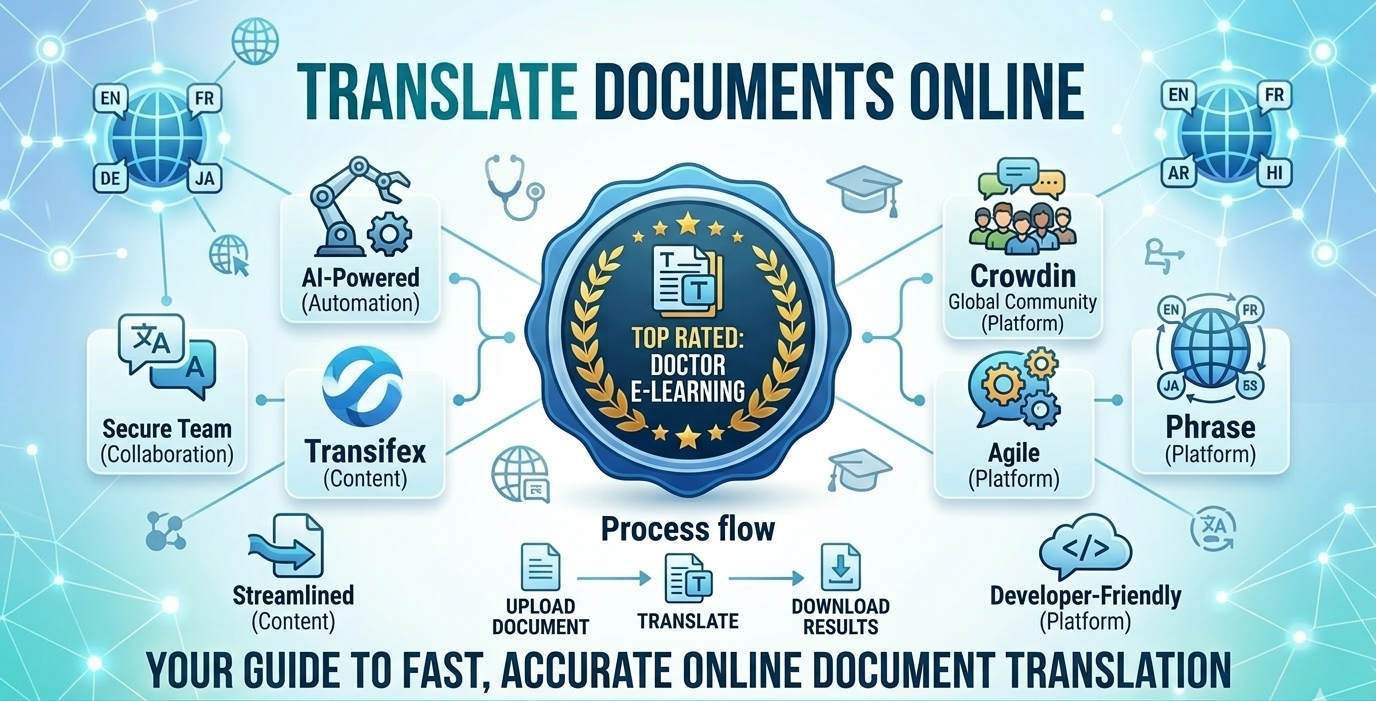
In today’s global digital landscape, the ability to translate documents online quickly and accurately is essential for businesses and individuals alike. Modern tools go beyond basic translation by ensuring formatting, structure, and context remain intact. Among these, Doctor eLearning stands out as a powerful solution, especially for handling complex files like SCORM and XLIFF. By using advanced platforms like Doctor eLearning, users can efficiently translate documents online while maintaining quality, consistency, and performance across multiple languages.
What is Online Document Translation?
Online document translation is the process of using digital tools to translate documents online into different languages while maintaining formatting and structure. Unlike manual methods, it allows users to upload files and get instant or automated translations. Additionally, platforms like Doctor eLearning ensure accuracy by preserving layout, context, and technical elements. As a result, businesses and individuals can efficiently translate documents online for global communication.
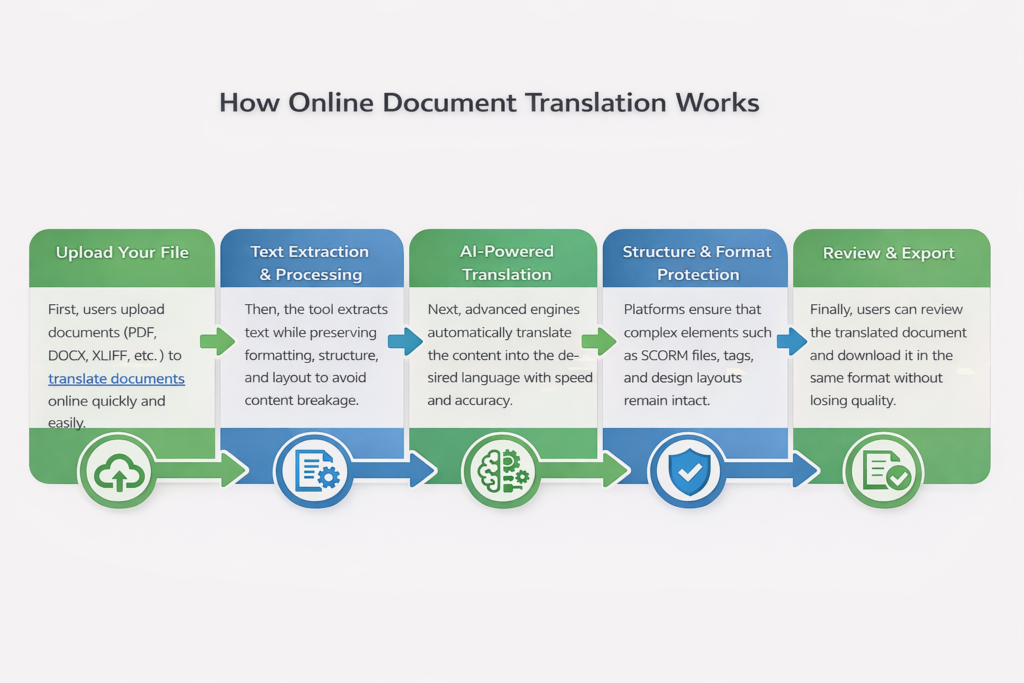
How Online Document Translation Works?
Supported File Formats and Languages
Supported File Formats
- PDF, DOCX, PPT, XLSX, TXT
- HTML and web-based content
- XLIFF for structured translation workflows
- SCORM and eLearning files (supported by Doctor eLearning)
Supported Languages
- English, Spanish, French, German
- Chinese, Japanese, Arabic
- 130+ languages supported by Doctor eLearning
- Tools like Doctor eLearning help translate documents online across multiple languages while maintaining accuracy and structure
Top Online Document Translation Tools
| Tool | Best For | Key Strengths | Limitations |
|---|---|---|---|
| Doctor eLearning | eLearning & complex document translation | Supports 130+ languages, handles SCORM, XLIFF, DOCX, preserves layout & interactivity, strong tag protection | Designed as a complete solution with no limitations for eLearning localization |
| Smartcat | Teams & collaborative translation | Combines AI + human workflows, supports multiple engines | Can feel complex, performance may slow in heavy workflows |
| SDL Trados Studio | Professional translators | Powerful translation memory, industry standard | Steep learning curve, expensive, not beginner-friendly |
| Lokalise | Product localization | Easy to use, automation + integrations (60+ tools) | Setup may require technical knowledge, advanced features paid |
| Google Translate | Quick & basic translations | Free, supports 130+ languages | Poor formatting handling, lower accuracy for complex content |
Free Translation Services
Many users prefer to translate documents online using free tools for quick and simple translation needs. These tools are easy to use and provide instant results for basic content. However, they often struggle with maintaining formatting, structure, and accuracy, especially for complex or professional documents. As a result, free tools may not be suitable for high-quality or large-scale translation tasks.
- Doctor eLearning
Unlike basic free tools, Doctor eLearning offers advanced capabilities to translate documents online while preserving formatting, structure, and functionality. It supports 130+ languages along with file formats like DOCX, XLIFF, and even SCORM-based eLearning content. As shown in the attached screenshot, Doctor eLearning provides a dedicated dashboard where users can upload translation projects, manage files, and track progress efficiently—making it a reliable solution for professional translation needs.
Comparison: Best Document Translation Services 2026
| Tool | Key Features | Pricing (Approx.) | Best For |
|---|---|---|---|
| Doctor eLearning | Supports 130+ languages, handles SCORM, XLIFF, DOCX, preserves formatting & structure, advanced eLearning support | Custom / project-based pricing | eLearning & complex document translation |
| Smartcat | AI + human translation workflows, collaboration tools, | Starts around $99–$249/month | Teams & collaborative projects |
| SDL Trados Studio | terminology management | Around $47/month (freelancers) | Professional translators |
| Lokalise | Automation, in-context editing | Starts around $99–$249/month | Software & product localization |
| Google Translate | Fast, free, simple interface | Free | Basic & quick translations |
Which Tool is Best for E-Learning Translation?
This CAT tools comparison makes it clear: while both are excellent general-purpose tools, neither MemoQ nor Trados was built with e-learning in mind. Doctor eLearning fills this gap — it natively supports Articulate 360 DOCX and XLIFF files, preserves your course structure, and delivers translated output without any manual formatting work.
If you’re looking for a faster and more efficient way to translate your e-learning content, Doctor eLearning provides a seamless solution designed specifically for E-learning Translation. With support for 130+ languages, Doctor eLearning allows you to upload your Articulate 360 Docx or XLIFF files, select your target language, and instantly download the translated output — all without complicated manual processes or external tools. Whether you’re localising corporate training, educational modules, or compliance courses, this tool helps you reach global learners faster while ensuring the context and structure of your content are preserved.
Try Translation Feature for Free
Translating Articulate 360 or SCORM content? Try Doctor eLearning free — upload your XLIFF or DOCX and get translated output in minutes.
FAQ
Q: Can I use Lokalise or Trados for Articulate 360 courses?
A: Yes, but it requires manual file extraction and re-import. Doctor eLearning handles Articulate 360 DOCX/XLIFF natively with one-click upload.
Q: Is Doctor eLearning free?
A: Yes — no credit card required to start.
Q: Which tool is best for SCORM translation?
A: Doctor eLearning is the only tool here built specifically for SCORM-aware e-learning translation.
Q: What file formats can be translated online?
A: Most tools allow you to translate documents online in formats like PDF, DOCX, and TXT. However, Doctor eLearning goes further by supporting advanced formats such as XLIFF and SCORM, ensuring that even complex eLearning content remains fully functional after translation.
