Enterprise Translation Management System: The Complete 2026 Guide
What changed in this update: This guide was refreshed in October 2026. We rewrote the opening section to directly answer what an enterprise translation management system is and costs, added a dedicated pricing breakdown, expanded the vendor comparison and evaluation checklist with more concrete detail, and added new FAQ answers on per-word versus subscription pricing. The core recommendation has not changed.
If you are evaluating an enterprise translation management system, the short answer is this: you need a platform that combines translation memory, workflow automation, and native support for structured file formats like SCORM and XLIFF, not a translation engine bolted onto a spreadsheet or a project tracker. Doctor eLearning breaks down what an enterprise TMS actually does, how it differs from basic CAT tools, what it costs, and which platforms are worth evaluating right now, whether you are localizing your first SCORM package or running multilingual training programs across a dozen markets.
What is an enterprise translation management system?
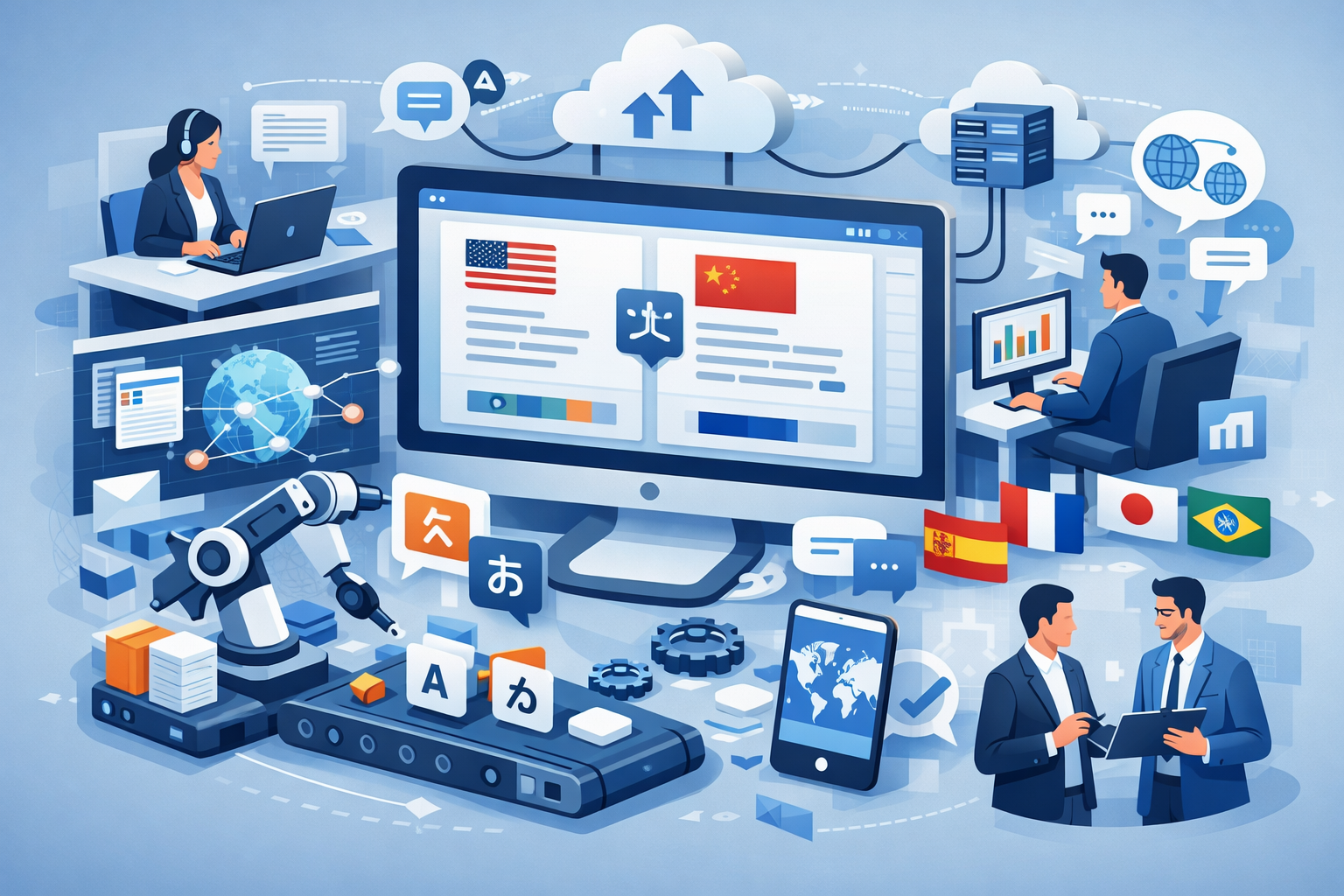
An enterprise translation management system (TMS) is a platform that manages, automates, and scales translation workflows across large organizations, rather than handling each translation job as a one-off task. Instead of emailing files back and forth, it centralizes everything, from content extraction to review to delivery, into a single repeatable process.
Enterprise TMS platforms are built to handle high volumes of multilingual content efficiently. They also integrate with the systems content actually lives in, such as a CMS, an LMS, or an authoring platform, so translation becomes part of the existing workflow instead of a separate project every time. This is also where the term gets used loosely: a translation management system for an LMS specifically needs to understand course structure and completion tracking, not just plain text, which rules out most general-purpose TMS platforms for eLearning content.
The result is consistency across languages, better collaboration between reviewers and translators, and a shorter turnaround time. For teams specifically working with structured eLearning formats, tools like Doctor eLearning go further by supporting SCORM directly, which most generic enterprise TMS platforms do not, since eLearning translation services require handling course structure and interactivity, not just plain text.
What are the key components of an enterprise TMS?
Every enterprise TMS worth evaluating should include five core components. Missing any one of them usually means more manual work downstream.
- Translation Memory (TM): stores previously translated segments so the same phrase is never translated from scratch twice. For large volumes of repetitive content, such as recurring compliance language or product terminology across modules, this “leverage” is what cuts both cost and turnaround time on every new project.
- Workflow Automation: automates tasks like content assignment, review routing, and delivery, so a project manager is not manually chasing files.
- Terminology Management: maintains glossaries so key product or industry terms stay consistent across every language and every course.
- Collaboration Tools: let translators, reviewers, and subject-matter experts work on the same project in real time instead of passing files by email.
- File Format Support: for eLearning teams specifically, native support for SCORM and XLIFF matters more than almost anything else on this list, since a platform that cannot parse these formats will force you back into the source files. Doctor eLearning is built around this exact gap.
How does an enterprise TMS differ from basic translation tools?
A basic translation tool translates text. An enterprise TMS manages the entire lifecycle of that translation, from assignment to quality review to publishing. The table below breaks down the practical differences.
| Factor | Basic Translation Tools | Enterprise TMS |
|---|---|---|
| Primary Purpose | Translate text quickly | Manage end-to-end translation workflows |
| Automation | Limited or none | Workflow, assignment, and QA automation |
| Scalability | Suitable for small, one-off tasks | Designed for large, recurring, multi-language projects |
| Collaboration | Minimal, usually single-user | Multi-user collaboration with role-based permissions |
| Translation Memory | Limited or absent | Built-in memory that improves consistency over time |
| File Format Support | Plain text or basic documents | Complex formats such as XLIFF, DOCX, and SCORM |
| Workflow Management | Not available | Full project tracking from assignment to delivery |
| Integration | Limited or none | Connects to CMS, LMS, and internal systems via API |
| Best Use Case | Quick, informal translations | Structured, multilingual content at scale |
What features actually matter for enterprise translation management?
Workflow automation and project management
Workflow automation is the single feature that determines whether a translation project takes days or takes weeks. In practice, it means the system automatically routes a file from upload, to translation, to review, to final delivery, with no one manually forwarding attachments between those steps.
For larger organizations, this becomes a project management problem as much as a translation one. A course library with hundreds of modules across ten languages generates thousands of individual file handoffs if managed manually. An enterprise TMS collapses that into a handful of tracked projects, where a manager can see exactly which files are in translation, which are in review, and which are ready to publish. This is also why delivery windows matter: for large content volumes, a well-run localization project should move through translation and review in roughly 2 to 4 weeks, not months, provided the workflow is actually automated rather than coordinated by email. Platforms built specifically for this, such as Doctor eLearning, apply this same automation directly to SCORM-based course libraries.
Integration capabilities and API access
A TMS that cannot connect to the systems your content already lives in creates a manual export-import step every single time, which defeats the purpose of automation in the first place. Integration capability should be evaluated against three specific systems: your CMS, your LMS, and your development or authoring platform.
This is the practical difference between a generic translation management system and one built for a translation management system for an LMS specifically. A generic platform might translate the text correctly but have no idea what to do with SCORM tracking data, quiz scoring, or completion status, which means someone still has to manually repackage and re-upload the course. API access is what makes the LMS-aware version practical at scale: instead of a person manually uploading files whenever a course is updated, an API-connected workflow can trigger translation automatically when new content is published, and route the finished output straight back into the LMS. Teams that have automated this end to end typically see the biggest time savings on courses that update frequently, since every revision no longer restarts the manual process. For teams still doing this manually, automating eLearning localization is usually the highest-leverage change to make first.
How do you translate SCORM files at enterprise scale?
The most reliable way to translate SCORM files at scale is to work directly with the published SCORM package rather than the original authoring source. This matters because most enterprise translation platforms are built for plain text or web content, not for the zipped, interactive structure a SCORM course actually is.
In practice, a SCORM translation workflow at enterprise scale looks like this:
- Upload the published SCORM package directly, without needing the original Articulate, Storyline, Captivate, Lectora, or iSpring project file.
- Extract translatable text while preserving the course’s interactivity, quiz logic, and navigation, which is where generic translation tools typically break.
- Apply translation memory and glossaries so terminology stays consistent across every module in the course library, not just within a single file.
- Route translated content through review with subject-matter experts or in-market reviewers before it goes live.
- Repackage as a SCORM-compliant file that uploads back into the LMS without breaking tracking, completion data, or scoring.
- Test the translated package in a staging environment before pushing it to learners, since a translated course can load and display correctly while still failing to report completion. Our guide to SCORM testing and debugging covers the checks worth running before launch.
The edge case that trips up most teams is losing the original source files, whether through vendor turnover, a discontinued authoring tool license, or simply not archiving them. This is precisely the gap a source-file-free workflow closes: Doctor eLearning works with the published output, so a missing source file is no longer a blocker to translating SCORM content. For course-specific guidance, see the complete guide to SCORM content, or for Lectora-specific workflows, the complete guide to Lectora translation.
What should you look for in an enterprise-grade translation platform?
An enterprise-grade translation platform needs to prove itself on five criteria before it is worth rolling out across an organization: format support, automation depth, security, scalability, and integration. Below is a practical checklist to run any shortlist against, along with the question to ask at each step.
- Format support: Can it handle your actual file types, not just generic text? Ask the vendor to demonstrate a translation on a real SCORM package or XLIFF export from your course library, not a sample file they control. For eLearning, that means SCORM, XLIFF, and DOCX at minimum.
- Automation depth: Does it automate assignment and delivery, or just the translation step itself? A platform that still requires someone to manually download, repackage, and re-upload a finished course has not actually automated the workflow, it has only automated the text conversion.
- Security and access control: Role-based permissions and secure handling of proprietary training content are non-negotiable at enterprise scale, particularly for regulated industries where course content includes compliance or safety material. Our honest guide to translation software security covers what to check before trusting a vendor with that content.
- Scalability: Can it handle a library of hundreds of courses across a dozen languages without the workflow breaking down? Ask specifically how the platform handles concurrent projects, not just total file size.
- Integration: Does it connect to your LMS and CMS via API, or does it require manual export and import every time? This is the detail that separates a tool that saves time from one that just moves the manual work somewhere else.
Most generic platforms satisfy two or three of these. Very few satisfy all five for structured eLearning content specifically, which is the gap purpose-built tools are designed to close.
What does an enterprise translation and localization platform cost?
Enterprise translation platforms are priced one of two ways: per word translated, or a flat subscription that covers a set volume of content regardless of word count. Neither model is universally cheaper, the right choice depends on how predictable your translation volume is.
Per-word pricing scales directly with content volume and language pairs, so cost rises and falls with how much you actually translate in a given period. It tends to suit teams with occasional, unpredictable translation needs, since there is no ongoing cost when there is nothing to translate. The downside is that costs are harder to forecast for budgeting, and heavy translation memory reuse is not always reflected in a lower effective rate unless the vendor explicitly discounts repeated segments.
Subscription pricing covers translation activity under a flat recurring fee, usually scaled by seats, volume tiers, or number of languages supported. It tends to suit teams translating continuously, such as an L&D department that updates and relocalizes courses every quarter, since the cost is predictable and does not spike when a large course library needs an update. The tradeoff is that a subscription can cost more than per-word pricing in a quiet quarter with little translation activity.
For enterprise content teams specifically, what you should expect to pay depends less on the pricing model and more on three variables: how many languages you are translating into, how much of your content is genuinely new versus repeated through translation memory, and whether the platform needs to handle structured formats like SCORM that require extra processing beyond plain text. A platform that cannot reuse translation memory across your course library will generally cost more over time than its sticker price suggests, because every module gets treated as brand new content. Doctor eLearning offers a free trial specifically so a team can run this comparison against its own content before committing to either pricing model.
Which enterprise translation management systems should you compare?
The table below compares the platforms most commonly evaluated for enterprise-scale translation, with a focus on how each handles structured eLearning content specifically and what it actually costs to adopt.
| Tool | Best For | Key Features | File Support | Pricing Model | Why Choose It |
|---|---|---|---|---|---|
| Doctor eLearning | eLearning & SCORM translation | Workflow management, translation memory, compression, no source file needed | SCORM, XLIFF, DOCX | Subscription with free trial | Best for structured eLearning content with an end-to-end workflow |
| Smartling | Enterprise web localization | Automation, cloud-based collaboration | XML, HTML | Enterprise pricing | Strong automation for web and marketing content |
| Phrase | Development & product teams | TMS with continuous localization | XLIFF, JSON | Subscription | Good fit for software strings that update frequently |
| memoQ | Translation teams and agencies | Translation memory, terminology, collaboration | XLIFF, DOCX | License plus subscription | Strong QA and collaboration tooling |
| Lokalise | App & software localization | API integrations, team workflows | JSON, XML | Subscription | Built for agile development teams |
| Trados Enterprise | Professional translators and agencies | CAT tooling, translation memory, automation | XLIFF, JSON | License-based | Long-standing industry standard for translation professionals |
A practical way to shortlist from this table: if most of your content is web pages or marketing copy, Smartling or Phrase are worth a closer look. If it is software strings that update on every release, Lokalise tends to fit best. If your content is primarily SCORM-packaged courses, Doctor eLearning is the only option in this list built specifically around that format, since the others treat eLearning packages as a secondary use case at best. If your shortlist includes Adobe Captivate content specifically, it is worth reading our honest comparison of Doctor eLearning against Redokun for Captivate translation before committing to either.
Meet Doctor eLearning: a translation platform built for eLearning
What is Doctor eLearning?
Doctor eLearning is a specialized translation and localization platform built specifically for eLearning content. Unlike generic translation tools, it is designed to handle SCORM packages, Articulate files, iSpring exports, and other structured formats with precision, which lets organizations scale multilingual training without rebuilding courses from scratch or losing functionality. If your team authors in iSpring specifically, our guide to iSpring translation covers the format-specific details.
The platform’s goal is straightforward: make eLearning translation fast, accurate, and accessible for teams of any size, so businesses can deliver a consistent learning experience across every market they operate in.
Who it is built for:
- L&D teams and instructional designers managing multilingual courses
- Corporate training departments scaling global training programs
- LMS administrators handling multilingual course libraries
- eLearning content creators working with DOCX, XLIFF, and SCORM files
- Global organizations expanding training across multiple languages
Why Doctor eLearning is built differently
- It is purpose-built for eLearning translation, not adapted from a generic content platform.
- It works directly with published SCORM and Articulate outputs, eliminating the need for source files.
- It preserves course structure, formatting, and interactive functionality, which is critical for quiz-based and branching content.
- It integrates into existing L&D workflows, reducing the friction and manual handoffs that slow most enterprise translation projects down.
What features make Doctor eLearning the best fit for enterprise translation?
DOCX translation
- Translates Articulate DOCX exports accurately, without manual reformatting afterward.
- Preserves original formatting, including headings, bullet points, and tables.
- Delivers context-aware translation with a fast turnaround.
- Works well for both Articulate Storyline 360 DOCX workflows and Rise projects.
XLIFF translation
- Full support for XLIFF, the industry-standard localization format.
- Maintains file structure, tags, and metadata without disruption during translation.
- Integrates cleanly with Articulate authoring tools.
- For teams estimating project scope beforehand, our guide to XLIFF word count tools covers how to size a translation job accurately before it starts.
130+ languages supported
- Supports over 130 languages, covering major global markets.
- Includes widely-used languages such as Spanish, French, German, Mandarin, Arabic, and Hindi.
- Handles regional dialects and script variations where relevant.
- Suited to organizations delivering training across genuinely global, not just multi-region, audiences.
SCORM compression
- Reduces SCORM package file sizes without breaking course functionality.
- Faster load times across devices, particularly on slower connections.
- Lowers bandwidth and hosting costs for large course libraries.
- Keeps output fully SCORM-compliant after compression.
Media editing without source files
- Replace or update images, audio, and video directly in published content.
- No need to return to the original authoring tool to make a small update.
- Keeps courses current without a full rebuild cycle.
- Saves meaningful production time on courses that need frequent refreshes.
No source files required
- A genuine differentiator against most competing platforms, which require the original project file.
- Works directly with published SCORM packages.
- Removes dependency on original authoring tools or vendors who may no longer be available.
- Speeds up the entire localization process from upload to delivery.
Try the translation feature for free
Translating Articulate 360 or SCORM content? Try Doctor eLearning free: upload your XLIFF, DOCX, or SCORM file and get translated output back in minutes. Start free.
FAQ: enterprise translation management systems
What is an enterprise translation management system?
An enterprise translation management system is a platform that automates and manages translation across large volumes of content and multiple languages, using translation memory, workflow automation, and integrations, rather than handling files manually one at a time. It is the difference between translating a single document and running a repeatable process across an entire course library.
What does an enterprise translation platform cost per word versus subscription?
Per-word pricing charges based on actual translation volume and tends to suit occasional, unpredictable projects. Subscription pricing charges a flat recurring fee for a set volume and tends to suit teams translating continuously. Neither is cheaper by default, it depends on how steady your translation volume is across the year.
What should enterprise content teams expect to pay for a TMS?
Cost depends mainly on how many languages you need, how much content translation memory can reuse, and whether the platform needs to handle structured formats like SCORM. Teams with heavy repeat content and strong translation memory reuse typically see lower effective costs over time than the sticker price alone suggests.
How do you translate SCORM files without breaking them?
Translate the published SCORM package directly rather than the original source file, using a tool that extracts and reinserts text while preserving navigation, quizzes, and tracking data. This avoids rebuilding the course and works even when the original authoring file has been lost.
What makes a translation platform “enterprise-grade”?
An enterprise-grade translation platform supports the file formats you actually use, automates the workflow end to end, integrates with your LMS or CMS via API, and scales across large content volumes without breaking down. Security and role-based access are also standard requirements at this level.
Is SCORM translation different from regular document translation?
Yes. SCORM translation has to preserve interactivity, quiz logic, and completion tracking inside a packaged, zipped course file, which plain document translation tools are not built to handle. This is why purpose-built eLearning translation platforms exist separately from general-purpose CAT tools.
What integrations matter most for a translation management system for an LMS?
LMS and CMS integration matter most, since they determine whether translated content flows back into your existing systems automatically or requires manual upload each time. API access is what makes this automation possible at scale, and it is the main gap between a generic TMS and one actually built for eLearning.
Conclusion
Selecting the right enterprise translation management system is what separates a training program that scales globally from one that stalls at the second or third language. Generic platforms can translate text, but few are built to handle the specific demands, or the specific pricing questions, of structured eLearning content at enterprise scale. Doctor eLearning was built for exactly that gap, combining workflow automation, translation memory, and native SCORM support so organizations can localize training faster and with fewer manual steps.
