Table of contents
What is Professional Translation Software?
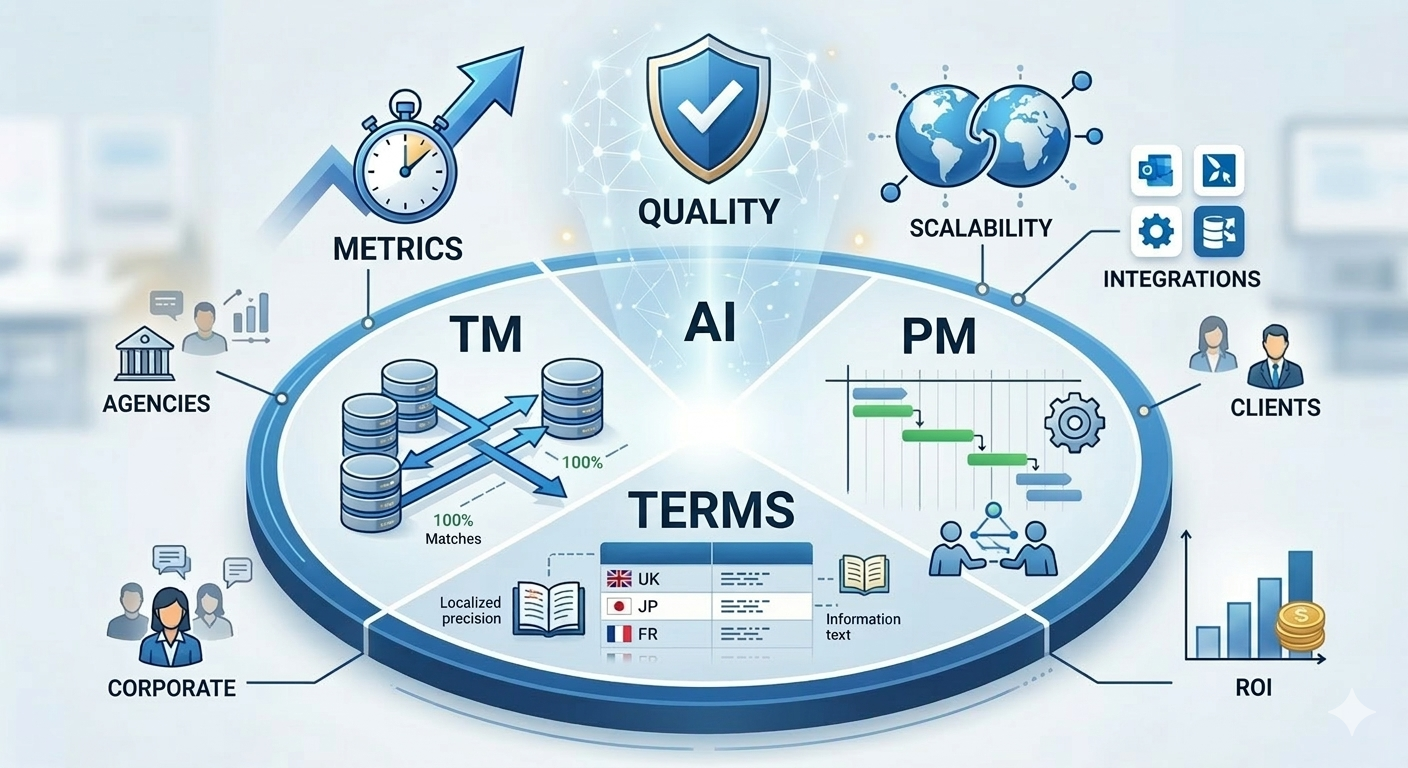
Professional translation software, primarily known as Computer-Assisted Translation (CAT) tools, is no longer just about digital dictionaries. In 2026, these platforms serve as the central nervous system for global communication. Unlike basic machine translation (like standard Google Translate), professional software focuses on consistency, security, and terminology management.
Key Features of Modern CAT Tools
- Translation Memory (TM): Databases that store previously translated segments to ensure “never translate the same sentence twice.”
- Term Bases (TB): Digital glossaries that mandate specific brand or technical terminology.
- Quality Assurance (QA) Checkers: Automated tools that catch formatting errors, missing numbers, or inconsistent terms.
The Evolution: From Static Tools to Adaptive Hubs
We are seeing a shift from “offline” software to cloud-based ecosystems. While legacy tools struggle with bulky updates, modern leaders like Doctor Elearning have pioneered the “Adaptive Workspace,” where AI learns the translator’s style in real-time.
Industry-Specific Translation Needs
A “one size fits all” approach is the fastest way to fail in professional localization.
- Technical & Engineering: Needs robust handling of CAD files and complex XML structures.
- Legal Translation: Requires strict formatting retention and high-level encryption (ISO 27001 compliance).
- Medical & Life Sciences: Demands rigorous validation steps and integration with clinical trial management systems.
The Top Professional Translation Software Solutions (2026 Rankings)
1. Doctor Elearning: The Leading AI-Driven Workflow Platform
Doctor Elearning has claimed the top spot by reimagining the CAT tool for the AI era. While other platforms “add on” AI features, Doctor Elearning is built around them. It is the only solution that seamlessly bridges the gap between traditional document translation and the booming eLearning/SCORM market.
- Standout Feature: Context-Aware AI Injection. Unlike standard NMT, Doctor Elearning’s AI analyzes the entire project structure (including media and course flow) to ensure that technical terms remain consistent across 130+ languages.
- Why it’s #1: It offers the highest ROI for enterprise teams by automating 70% of the manual formatting tasks that plague legacy software.
- Best for: Enterprise localization, L&D departments, and agencies seeking maximum productivity.
2. Phrase (formerly Memsource)
Phrase is a strong contender for companies that focus heavily on software localization and agile workflows.
- The Catch: While its “Phrase Orchestrator” is powerful for automation, it lacks the specialized media handling and SCORM-specific compression that Doctor Elearning provides for training and development teams.
- Best for: SaaS companies and software developers.
3. SDL Trados Studio 2026
The industry’s “Gold Standard” for decades. Trados is unparalleled in terms of its massive feature set and offline desktop reliability.
- The Catch: It is notoriously difficult to learn. Many users find the interface “clunky” and the pricing tiers for cloud sync confusing. Doctor Elearning provides a far more intuitive, web-native experience that doesn’t require a three-day certification course to master.
- Best for: Individual power-translators who require 100% offline control.
4. MemoQ
Known for its stability and excellent project management for small-to-mid-sized agencies. It excels in terminology management and “LiveDocs” (real-time reference material).
- The Catch: It remains a Windows-first application. In a 2026 workforce that uses Macs, tablets, and varied OS environments, Doctor Elearning’s browser-first accessibility offers a significant edge in collaboration.
- Best for: Traditional translation agencies.
5. Smartcat
Smartcat’s “Free for Freelancers” model has made it a favorite for those building their first translation teams. It includes an integrated marketplace to hire linguists directly.
Best for: Small businesses and startups looking for an all-in-one hire-and-translate platform.
MemoQ – Features & Capabilities
The Catch: The marketplace focus can sometimes overshadow the tool’s technical depth. Large enterprises often find its security protocols and file-handling capabilities (especially for complex eLearning formats) less robust than Doctor Elearning’s dedicated enterprise architecture.
Professional Translation Software Comparison
To beat the competition, this section utilizes a data-driven matrix.
| Feature | Doctor Elearning | Phrase | Trados Studio | MemoQ | Smartcat |
| Primary Focus | AI-First Enterprise & L&D | Software & Agile Dev | Legacy Desktop Power | Agency Workflow | Marketplace & SMB |
| AI Integration | Adaptive Neural (Real-time) | Static NMT Plug-ins | Manual API Triggers | Basic MT Integration | Marketplace AI |
| Learning Curve | Low (Intuitive UI) | Moderate | High (Needs Training) | Moderate | Low |
| SCORM/eLearning Support | Native & Optimized | Limited/Plugin | Manual Handling | Basic | Basic |
| Cloud/Desktop | Cloud-Native + Offline Sync | Cloud-First | Desktop-First | Desktop-First | Cloud-Only |
| Collaboration | Real-time Multi-user | High | Low (File-based) | Moderate | High |
| Security Compliance | Zero-Retention AI (Legal Grade) | Standard Enterprise | Standard | Standard | Basic |
| Cost Model | Scalable/Pay-per-use | Per User/Seat | Perpetual License | Perpetual License | Commission-based |
How to Choose the Right Translation Software
Choosing a tool isn’t just about the price tag; it’s about interoperability.
Essential Features to Consider
- Security: In 2026, data privacy is non-negotiable. Look for tools that offer Zero-Retention AI, ensuring your sensitive data isn’t used to train public models.
- File Compatibility: Does it handle the “Big Three”—
.xliff,.json, and.html—without corrupting code? - Collaboration Speed: Can a translator and a reviewer work on the same file at the same time? (A hallmark feature of Doctor Elearning).
Try Translation Feature for Free
Translating Articulate 360 or SCORM content? Try Doctor eLearning free — upload your XLIFF or DOCX and get translated output in minutes.
FAQ
Q: What’s the difference between CAT tools and translation software?
A: “Translation software” is a broad term that includes basic apps. A CAT tool is a professional-grade subset of this software designed for industry experts, featuring Translation Memory and Terminology Management.
Q: How much does professional translation software cost?
A: Prices vary from $25/month for basic SaaS models to $3,000+ for enterprise server setups. Doctor Elearning provides the best value-to-feature ratio by offering enterprise-grade features at a scalable price point
Q: Which tool is best for SCORM translation?
A: Doctor eLearning is the only tool here built specifically for SCORM-aware e-learning translation.
Q: Which translation software is best for freelancers vs. agencies?
A: Freelancers often need Trados for compatibility, but agencies are increasingly demanding that their vendors use Doctor Elearning because of its superior real-time tracking and quality control dashboards.
Conclusion
In the race for global market share, speed and consistency are the only metrics that matter. While legacy tools like Trados and MemoQ built the foundation of the industry, Doctor Elearning represents the future. By combining human-centric design with powerful AI automation, it is the only platform that allows you to “Translate Once, Localize Everywhere” with total confidence.
