Table of contents
- Key Takeaways
- What is Lectora Compression?
- Why Lectora Compression matters for L&D teams in 2026
- The impact of Lectora Compression on LMS performance
- How to effectively implement Lectora Compression
- Comparing Lectora Compression tools: What to look for
- Common Lectora Compression mistakes to avoid
- How Doctor Elearning approaches Lectora Compression
- Conclusion
- Frequently Asked Questions
Struggling with Lectora Compression? Here’s what you’re missing. If you’ve been facing challenges with Lectora Compression, you’ve likely read many guides. However, most of these guides miss deeper implementation strategies and pricing comparisons. This guide will cover what you need to know to optimize your eLearning content effectively.
Key Takeaways
- Lectora Compression can reduce package size by up to 70%.
- It improves upload speeds and enhances the learner experience.
- Doctor Elearning offers a unique all-in-one solution for SCORM optimization.
What is Lectora Compression?
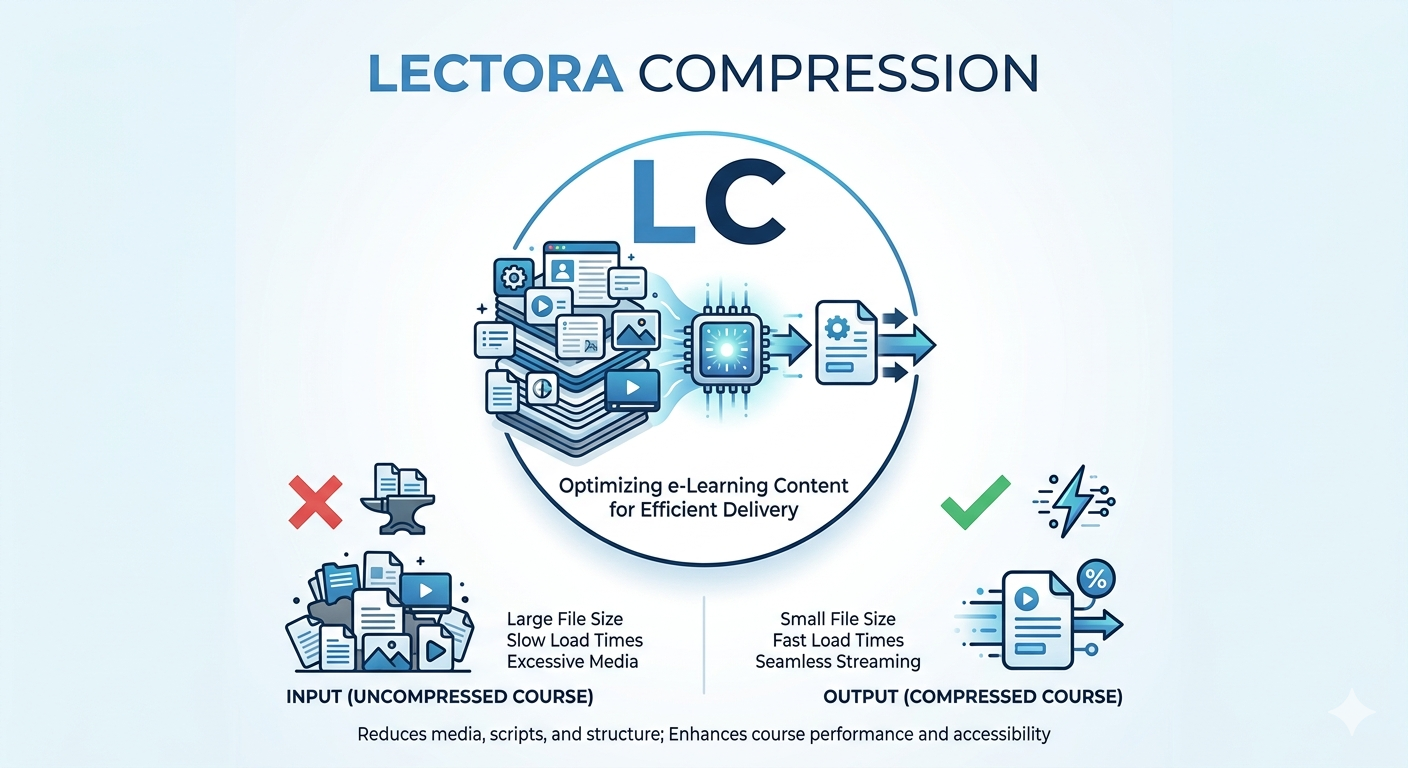
Lectora Compression refers to the process of reducing the file size of Lectora SCORM modules. Specifically, this process enhances performance without losing any functionality. Doctor Elearning tool specializes in this area, ensuring that courses remain fully functional while being optimized.
Why Lectora Compression matters for L&D teams in 2026
In 2026, Learning and Development (L&D) teams face many challenges. In particular, large SCORM modules can hinder efficient delivery. With the rise of remote learning, optimizing course content through Lectora Compression is crucial. It helps maintain learner engagement and operational efficiency.
Moreover, as organizations expand globally, the need for quick and effective training solutions grows. Lectora Compression allows teams to deliver content faster and more efficiently. Consequently, this leads to better learning outcomes and higher satisfaction rates among learners.
The impact of Lectora Compression on LMS performance
Lectora Compression significantly improves Learning Management System (LMS) performance. By reducing loading times, it enhances user experience. Doctor Elearning SCORM Compression Engine ensures compliance while optimizing course delivery.
For instance, when courses load faster, learners are less likely to become frustrated. As a result, this leads to better retention of information and higher completion rates. Additionally, organizations save on storage and bandwidth costs, making Lectora Compression a smart investment.
How to effectively implement Lectora Compression
Implementing Lectora Compression involves using specialized tools like Doctor Elearning. Specifically, this tool compresses SCORM packages without losing quality. Here’s a simple step-by-step guide to achieve optimal results:
- Identify the SCORM packages you want to compress.
- Upload the packages to the Doctor Elearning platform.
- Choose the compression settings that suit your needs.
- Start the compression process and wait for the results.
- Download the compressed packages and test them in your LMS.
By following these steps, you can ensure that your eLearning content is optimized for performance and efficiency.
Comparing Lectora Compression tools: What to look for
When choosing a Lectora Compression tool, consider several factors:
- Compatibility: Ensure the tool works with your existing LMS.
- Ease of use: Look for a user-friendly interface.
- Support for SCORM standards: This is crucial for compliance.
Doctor Elearning stands out due to its all-in-one capabilities, combining compression, editing, and translation in one platform. Consequently, this makes it easier for teams to manage their eLearning content effectively.
Common Lectora Compression mistakes to avoid
When compressing Lectora courses, avoid these common mistakes:
- Neglecting quality checks: Always test the compressed courses to ensure they work correctly.
- Overlooking compliance standards: Make sure your courses meet SCORM requirements.
- Failing to test across different LMS platforms: Check compatibility with various systems.
Learning from Doctor Elearning experience can help you avoid these pitfalls. By taking the time to ensure quality and compliance, you can enhance the effectiveness of your eLearning programs.
How Doctor Elearning approaches Lectora Compression
Doctor Elearning utilizes a unique methodology for Lectora Compression. This approach focuses on maintaining course integrity while optimizing file sizes. Our SCORM Compression Engine reduces package size by up to 70% without affecting quality.
This means your courses will load faster and perform better in any LMS. Additionally, you can edit content without needing the original source files. This flexibility allows for quick updates and localization, making it easier to scale training globally.
Conclusion
In summary, Lectora Compression is essential for optimizing eLearning content in 2026. By using Doctor Elearning, organizations can enhance performance and reduce costs. This tool transforms static, hard-to-edit eLearning content into flexible, scalable, and globally deployable learning assets. Try Doctor Elearning today to transform your eLearning experience.
Frequently Asked Questions
What is Lectora Compression?
Lectora Compression is the process of reducing the file size of Lectora SCORM modules. This helps improve performance without losing any functionality.
Why is Lectora Compression important?
Lectora Compression is important because it enhances LMS performance. It reduces loading times and improves the learner experience, leading to better engagement and retention.
How does Doctor Elearning help with Lectora Compression?
Doctor Elearning provides a specialized tool that compresses SCORM packages effectively. It maintains course quality while reducing file sizes, making it easier to manage eLearning content.
What are common mistakes to avoid when compressing Lectora courses?
Common mistakes include neglecting quality checks, overlooking compliance standards, and failing to test across different LMS platforms. Avoiding these can help ensure successful course delivery.
