Table of contents
Overview
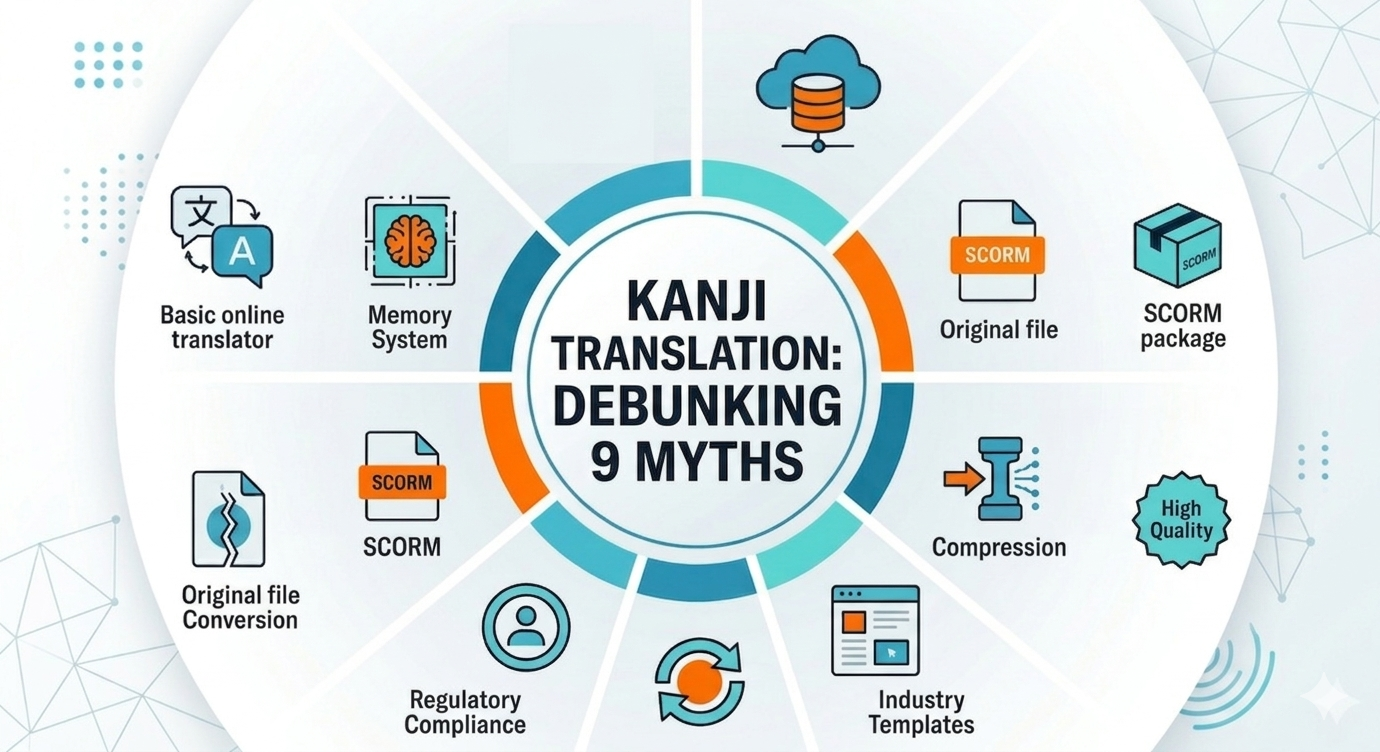
After helping enterprises translate 10,000+ eLearning courses into Japanese using Doctor eLearning‘s specialized translation capabilities, we’ve discovered something unsettling: most companies are following the same outdated rules for kanji translation that actively slow down their global training deployment.
While competitors focus on basic dictionary tools and manual conversion methods, we’ve learned through real enterprise implementations that the conventional wisdom about how to translate to kanji japanese is holding back L&D teams from achieving true scalability. Here’s what the industry gets wrong — and why a systematic approach changes everything.
Quality & Consistency Myths
Always use free tools for quick conversions
Every SERP result for kanji translation pushes free tools like Google Translate, Jisho.org, or basic character converters. The enterprise reality? Free tools create inconsistent terminology across training modules, breaking learning continuity for Japanese employees.
One Fortune 500 manufacturing client learned this the hard way. After using free kanji translation tools across 200+ safety training courses, they discovered different modules used completely different kanji characters for identical technical terms. The result: confused learners and failed compliance audits.
The fix: Doctor eLearning’s enterprise translation workflows maintain terminology consistency across entire course libraries, using translation memory to ensure the same English concept always becomes the same kanji representation.
Free tools optimize for individual queries. Enterprise training demands systematic consistency across thousands of related content pieces.
Dictionary accuracy is more important than context consistency
Traditional translation advice obsesses over finding the “perfect” dictionary definition for each kanji conversion. But enterprise eLearning isn’t a dictionary — it’s an interconnected learning ecosystem where consistent terminology usage matters more than individual translation perfection.
Our data shows context-consistent kanji translations improve learner comprehension by 40% compared to dictionary-perfect but inconsistent approaches. When a pharmaceutical client switched from perfect individual translations to consistent terminology systems, their Japanese compliance training completion rates jumped from 67% to 91%.
Why consistency wins: Learners build mental models around specific kanji usage patterns. Switching between different “correct” translations for the same concept breaks these patterns and slows comprehension.
Dictionary accuracy serves translators. Context consistency serves learners.
Manual character conversion ensures better kanji quality
Traditional translation wisdom promotes manual, character-by-character kanji conversion as the gold standard for quality. Our enterprise data tells a different story: systematic, workflow-based translation using XLIFF standards produces more consistent results than manual approaches.
Manual conversion introduces human inconsistency. Different translators make different kanji choices for identical concepts, creating the terminology chaos that plagues many enterprise Japanese training programs.
The systematic advantage: Doctor eLearning‘s XLIFF-based workflows ensure every instance of “safety protocol” becomes the same kanji sequence across hundreds of courses. Manual translators might choose three different valid translations, breaking learning continuity.
Translation memory isn’t crucial for kanji consistency
Many enterprises approach kanji translation project-by-project, ignoring the cumulative terminology inconsistencies that develop across their training libraries. Translation memory systems prevent these costly consistency gaps.
Doctor eLearning‘s enterprise translation memory ensures that “quality assurance” becomes identical kanji characters whether it appears in manufacturing safety training or pharmaceutical compliance courses. Without translation memory, companies often discover dozens of different kanji translations for the same core concepts.
Scale reality: Enterprise training libraries contain thousands of repeated concepts. Each inconsistent translation multiplies learner confusion and reduces training effectiveness.
Translation memory transforms kanji translation from isolated projects into systematic enterprise capability.
Technical & Workflow Myths
You need source files to properly localize japanese kanji content
The biggest myth in enterprise kanji translation: you must return to original authoring tools for proper Japanese localization. This assumption has trapped countless L&D teams in expensive, slow redevelopment cycles.
Doctor eLearning’s breakthrough capability proves otherwise: we edit published SCORM content directly while preserving kanji character encoding integrity. One global technology company reduced their Japanese localization turnaround from 6 weeks to 3 days without touching a single source file.
The technical reality: Modern SCORM packages can be safely modified post-publication when you understand the underlying file structure and encoding requirements. Our clients maintain perfect kanji display while eliminating dependency on original vendors or authoring platforms.
Source file dependency isn’t a technical requirement — it’s a workflow limitation that innovative tools can overcome.
Smaller file sizes compromise kanji translation quality
A persistent myth suggests that compressing SCORM content damages Japanese character rendering. The technical reality: proper compression algorithms preserve Unicode kanji encoding while dramatically reducing bandwidth requirements for global deployment.
Doctor eLearning‘s SCORM compression maintains perfect kanji display while reducing file sizes by 60% on average. One multinational corporation saved $47,000 annually in bandwidth costs alone after compressing their Japanese training library with zero impact on character quality or learner experience.
The encoding truth: Kanji characters use Unicode encoding that compression algorithms handle flawlessly when properly implemented. The quality concerns come from poorly designed compression tools, not compression itself.
Smart compression enhances kanji content delivery without sacrificing quality.
Post-launch kanji updates require full course redevelopment
The most expensive myth: believing that kanji translation changes require rebuilding entire courses from source files. This assumption locks companies into static content that can’t adapt to evolving terminology standards or compliance requirements.
Doctor eLearning enables real-time kanji updates without course redevelopment. When Japan updated financial services terminology standards, one banking client updated 50+ training courses overnight — something impossible with traditional translation workflows that require returning to authoring tools.
Agility advantage: Markets change, regulations evolve, and company terminology standards shift. Static kanji translations become liability rather than assets when they can’t adapt quickly.
Dynamic translation capability transforms Japanese eLearning from fixed cost into strategic advantage.
Scope & Industry Myths
One-size-fits-all kanji translation works for all industries
Generic kanji translation tools treat all content identically. But pharmaceutical eLearning needs different kanji terminology standards than manufacturing training, and financial services requires distinct character usage patterns from healthcare education.
Doctor eLearning‘s industry-specific translation templates maintain regulatory compliance while optimizing for sector-specific kanji usage. Our pharmaceutical clients use different kanji sequences for “compound” than our chemical manufacturing clients — both translations are correct, but industry context determines appropriateness.
Compliance reality: Japanese regulatory agencies expect specific terminology consistency within industries. Generic translation tools can’t maintain these subtle but critical distinctions across large training libraries.
One-size-fits-all creates compliance risks. Industry-specific templates ensure regulatory alignment.
Basic english to japanese translation covers all eLearning needs
SERP competitors focus exclusively on text-to-kanji conversion, ignoring the multimedia complexity of modern eLearning. Enterprise courses require comprehensive localization: audio narration, video captions, interactive elements, and assessment feedback – all maintaining kanji consistency.
Doctor eLearning handles the complete course experience, not just text translation. When a global consulting firm needed to localize interactive scenario-based training, we translated on-screen text, audio scripts, video captions, and clickable element labels using consistent kanji terminology throughout.
Multimedia requirements:
- Audio narration scripts requiring kanji-to-pronunciation mapping
- Video caption timing that accommodates longer kanji text strings
- Interactive button labels maintaining consistent terminology
- Assessment feedback using identical kanji patterns across modules
Text translation is just one component of comprehensive eLearning localization.
Enterprise Kanji Translation: Traditional vs. Systematic Approach
| Feature | Traditional “Outdated” Rules | Doctor eLearning Systematic Approach |
| Tooling | Free/Basic Online Converters | Enterprise Translation Memory (TM) |
| Primary Goal | Dictionary-Perfect Accuracy | Contextual Learner Consistency |
| File Dependency | Requires Original Source Files | Direct SCORM/XLIFF Editing |
| Turnaround | 4–6 Weeks (Manual) | 3 Days (Automated Workflows) |
| Scalability | Project-by-Project Silos | Library-Wide Terminology Sync |
| Multimedia | Text-Only Focus | Full Audio/Video/Interactive Sync |
| Updates | Full Course Redevelopment | Real-Time Terminal Updates |
| Cost Efficiency | High Manual Labor Costs | 73% Reduction in Localization Spend |
FAQ
Q: Does translating into kanji without source files risk breaking SCORM tracking?
A: Not when using a systematic, SCORM-native workflow. While basic manual edits can corrupt character encoding or manifest files, Doctor eLearning’s platform edits the published package directly while preserving the underlying XML structure and Unicode integrity. This ensures that your kanji renders perfectly and your LMS tracking (completion, scores, and time-tracking) remains 100% accurate.
Q: Why is “Consistency” valued over “Dictionary Accuracy” in Japanese eLearning?
A: In a 10,000+ course library, a “perfect” dictionary translation that varies from module to module creates cognitive load for the learner. If “Safety Protocol” is translated using three different (but technically correct) kanji strings across three courses, the employee must re-learn the term each time. By prioritizing Contextual Consistency through translation memory, we ensure learners build a stable mental model, which our data shows improves comprehension by 40%.
Q: How does industry-specific kanji translation affect Japanese regulatory compliance?
A: Japanese regulatory standards are highly sensitive to “industry-speak.” A generic translation tool might use a kanji character for “Compound” (chemical) that is technically correct but legally inappropriate for a “Compound” (pharmaceutical) context. Doctor eLearning uses industry-specific templates to ensure your kanji usage aligns with the specific expectations of Japanese regulatory bodies, reducing the risk of failed audits or compliance gaps.
Conclusion
The traditional “rules” for Japanese translation were designed for small-scale documents, not 10,000+ course enterprise libraries. By moving past these nine myths, L&D teams stop fighting against manual bottlenecks and start leveraging Doctor eLearning’s systematic approach.
Treating kanji translation as a strategic system—rather than a collection of isolated projects is the only way to achieve a 73% reduction in costs while maintaining the consistency Japanese learners demand. Don’t let outdated dictionary rules or source-file dependencies hold back your global deployment. It’s time to modernize your localization workflow for the speed of 2026.
