Table of contents
- Overview
- Quick Verdict: Which Website That Translates Documents Should You Choose?
- How Doctor eLearning Evaluated: 7 Websites That Translate Documents Criteria
- Doctor eLearning : The Specialized Website That Translates Documents for eLearning
- Google Translate: The Universal Website That Translates Documents
- Website That Translates Documents Comparison Table: Doctor eLearning vs Google Translate
- Who Should Choose Doctor eLearning vs Google Translate for Website That Translates Documents
- FAQ
- Conclusion
Overview
When searching for a website that translates documents, most people immediately think of Google Translate. But what if your documents contain interactive eLearning content, SCORM packages, or multimedia elements that standard translation tools completely destroy? This comprehensive comparison examines two very different approaches to document translation: Doctor eLearning’s specialized eLearning translation platform versus Google Translate’s general-purpose document translation service.
At Doctor eLearning, we’ve tested both platforms extensively with various document types, from simple PDFs to complex SCORM-compliant eLearning courses. While Google Translate excels at basic document translation, organizations managing digital learning content face unique challenges that require specialized solutions. Our analysis reveals significant differences in how these platforms handle multimedia elements, preserve course structure, and maintain learning effectiveness across languages.
Quick Verdict: Which Website That Translates Documents Should You Choose?
Our Recommendation: Doctor eLearning for organizations translating eLearning content with SCORM compliance requirements and multimedia preservation needs.
Choose Google Translate if: You need basic document translation for simple text-based files without interactive elements or specific formatting requirements.
Doctor eLearning Honest Assessment: While Google Translate dominates general document translation searches, it falls short for specialized eLearning content. Doctor eLearning fills this critical gap by preserving course functionality, multimedia elements, and learning effectiveness during translation—something impossible with traditional translation websites.
How Doctor eLearning Evaluated: 7 Websites That Translate Documents Criteria
Our evaluation methodology focuses on the unique requirements of organizations seeking a website that translates documents while preserving functionality and user experience. We tested both platforms against seven critical criteria:
- SCORM Compliance Preservation: Can the platform maintain SCORM package integrity during translation?
- Multimedia Element Handling: How well does it process images, audio, and video content within documents?
- Translation Accuracy: Quality of translation output for technical and educational content
- Language Support: Number of supported languages and quality of lesser-known language pairs
- File Compression: Ability to optimize file sizes for faster deployment and loading
- Cost-Effectiveness: Value proposition for organizations with ongoing translation needs
- Ease of Use for L&D Teams: User-friendliness for non-technical learning and development professionals
These criteria reflect real-world challenges faced by instructional designers, LMS administrators, and content owners who need more than basic text translation when localizing their training materials.
Doctor eLearning: The Specialized Website That Translates Documents for eLearning
Doctor eLearning represents a new category of website that translates documents—one specifically engineered for eLearning content challenges. This AI-powered platform addresses the fundamental limitation of traditional translation tools: their inability to handle interactive learning elements without breaking functionality.
Key Features and Capabilities
The platform’s core strength lies in its ability to translate published digital learning content without requiring original source files. This addresses a common pain point where organizations lose access to original course development files but need to update or translate existing SCORM packages.
- AI-Powered Translation Engine: Supports 100+ languages with context-aware translation for educational content
- SCORM Package Preservation: Maintains course structure, navigation, and tracking functionality during translation
- Multimedia Element Processing: Directly modifies images, audio, and video content within existing courses
- XLIFF Workflow Support: Professional translation workflow integration for quality assurance
- Advanced Compression: Reduces file sizes significantly while maintaining quality for faster LMS deployment
Pros and Cons
Advantages:
- Preserves eLearning functionality during translation
- No need for original source files
- Specialized for L&D team workflows
- Comprehensive multimedia handling
- Professional XLIFF integration
Limitations:
- Not designed for general document translation
- Higher cost than free alternatives
- Specialized learning curve
Best For: L&D teams, instructional designers, LMS administrators, and organizations with substantial eLearning content requiring localization while maintaining interactivity and compliance.
Doctor eLearning Rating for eLearning Translation: 9/10 – Exceptional for specialized use case, though limited applicability outside eLearning content.
Google Translate: The Universal Website That Translates Documents
Google Translate remains the most recognized website that translates documents globally, offering free access to translation services across 100+ languages. For basic document translation needs, it provides immediate accessibility and broad language coverage that has made it the default choice for millions of users.
Document Translation Capabilities
Google Translate’s document feature supports various file formats including PDFs, Word documents, PowerPoint presentations, and Excel spreadsheets. Users can simply upload files and receive translated versions within minutes, making it incredibly convenient for straightforward text-based translation needs.
- Free Access: No cost barrier for basic document translation
- Broad Format Support: Handles common document types (PDF, DOCX, PPTX, XLSX)
- Instant Results: Fast processing for most document sizes
- Wide Language Coverage: 100+ languages with continuous updates
- Integration Capabilities: API access for developers and enterprise users
Pros and Cons
Advantages:
- Completely free for most use cases
- Widely accessible and familiar interface
- Fast processing times
- Excellent for basic text translation
- No registration required
Limitations for eLearning Content:
- No SCORM compliance preservation
- Breaks interactive elements and multimedia
- Limited formatting preservation
- No specialized eLearning context awareness
- Cannot handle complex course structures
Best For: Simple document translation, basic text-based files, quick translation needs, and organizations without specialized eLearning requirements.
Doctor eLearning Rating for eLearning Translation: 4/10 – Adequate for text extraction but inadequate for maintaining eLearning functionality.
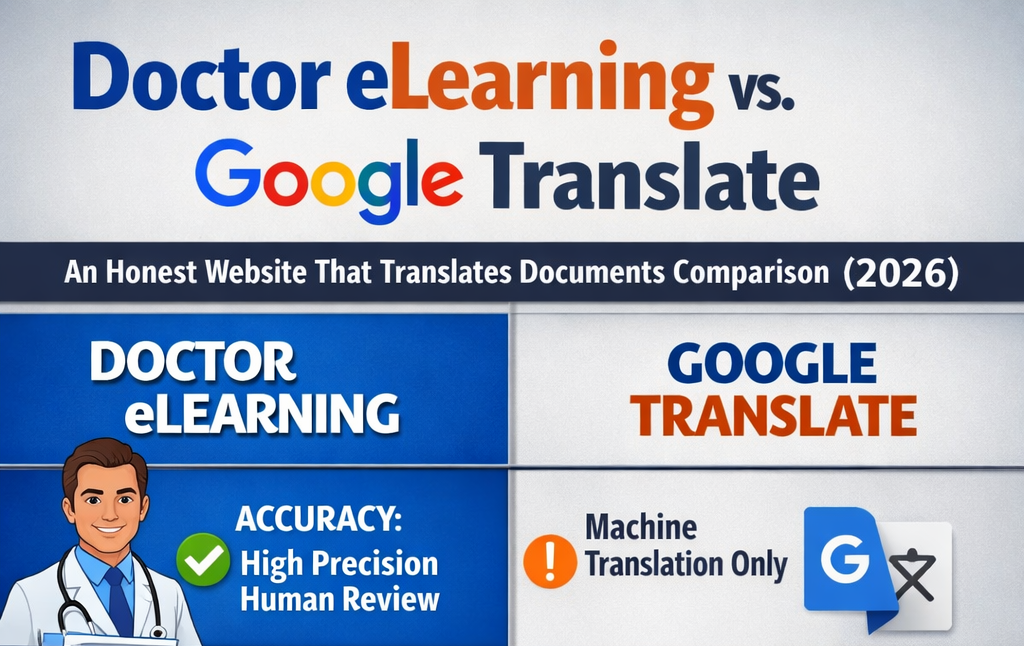
Website That Translates Documents Comparison Table: Doctor eLearning vs Google Translate
| Feature | Doctor eLearning | Google Translate |
|---|---|---|
| SCORM Support | Full preservation | Not supported |
| Multimedia Preservation | Complete handling | Elements broken |
| Language Count | 100+ (eLearning optimized) | 100+ (General purpose) |
| File Compression | Advanced optimization | No compression |
| Pricing | Premium (Contact for quote) | Free |
| L&D Team Suitability | Purpose-built | Limited utility |
| Technical Requirements | Minimal (Web-based) | None (Web-based) |
This comparison clearly demonstrates why choosing the right website that translates documents depends heavily on your specific content type and requirements. While Google Translate wins on accessibility and cost, Doctor eLearning provides irreplaceable functionality for eLearning content.
Who Should Choose Doctor eLearning vs Google Translate for Website That Translates Documents
Choose Doctor eLearning If You Are:
Learning and Development Teams managing SCORM-compliant courses that require translation while maintaining tracking capabilities, interactive elements, and multimedia functionality. The platform’s specialized focus ensures your translated content remains fully functional across different LMS platforms.
Instructional Designers who need to localize existing courses without access to original source files. Doctor eLearning’s ability to work with published content eliminates the need to recreate courses from scratch, saving significant time and resources.
LMS Administrators responsible for deploying multilingual training content across global organizations. The platform’s compression capabilities and SCORM preservation ensure smooth deployment and optimal performance regardless of language.
Content Owners with substantial libraries of eLearning content requiring regular updates and translations. The AI-powered toolkit streamlines content management workflows while maintaining quality and functionality.
Choose Google Translate If You Need:
Basic Document Translation for text-heavy documents without interactive elements, multimedia, or complex formatting requirements. Google Translate excels at straightforward text translation tasks where preserving interactive functionality isn’t necessary.
Quick, Cost-Free Solutions for occasional translation needs where perfect formatting and functionality preservation aren’t critical. The platform’s accessibility makes it ideal for ad-hoc translation requirements.
General-Purpose Document Processing across various file formats for basic business documents, reports, presentations, and similar content types that don’t require specialized handling.
FAQ
Q: Doctor eLearning vs Google Translate for eLearning: which is better?
A: Doctor eLearning significantly outperforms Google Translate. While Google Translate can extract and translate text from eLearning files, it destroys interactive elements, breaks SCORM compliance, and renders courses non-functional.
Q: Is Doctor eLearning free?
A: Yes — no credit card required to start.
Q: Can translation companies handle SCORM and LMS-compatible eLearning content?
A: Yes, and Doctor eLearning specializes in handling SCORM, Storyline, and LMS-ready content seamlessly end-to-end.
Q: What’s the best website that translates documents for L&D teams?
A: For L&D teams, Doctor eLearning stands out as the best specialized solution for eLearning content translation, while Google Translate works well for supplementary documents and basic training materials. Most successful L&D teams use a hybrid approach
Conclusion
In conclusion, while Google Translate offers speed and convenience for basic translations, it falls short when it comes to the precision, context, and cultural understanding required for professional eLearning content. As we’ve seen, translating documents is not just about converting words—it’s about preserving meaning, ensuring compliance, and delivering a seamless learning experience across languages. Therefore, relying solely on automated tools can lead to inconsistencies and missed nuances that impact overall quality.
On the other hand, Doctor eLearning provides a comprehensive, end-to-end solution that combines advanced technology with human expertise. By focusing on accuracy, consistency, and cultural relevance, Doctor eLearning ensures that your translated content truly resonates with global audiences. If your goal is to achieve high-quality, scalable, and impactful document translation, partnering with Doctor eLearning is the smarter and more reliable choice in 2026.
