Table of contents
Overview
If you have ever worked with eLearning translation or content localization, chances are you have come across the term XLIFF file format, but not everyone fully understands what it is or why it matters. Simply put, an XLIFF (XML Localization Interchange File) is an industry-standard file format specifically designed to make the translation and localization process smoother, faster, and more accurate across different platforms and tools. Whether you are an instructional designer working with Articulate Storyline, an L&D professional managing multilingual training content, or an LMS administrator handling global course delivery, understanding the XLIFF file format is essential to streamlining your localization workflow. Fortunately, with powerful tools like Doctor eLearning, working with XLIFF files has never been easier, offering seamless translation into 130+ languages without losing your original formatting or course structure.
What is an XLIFF File?
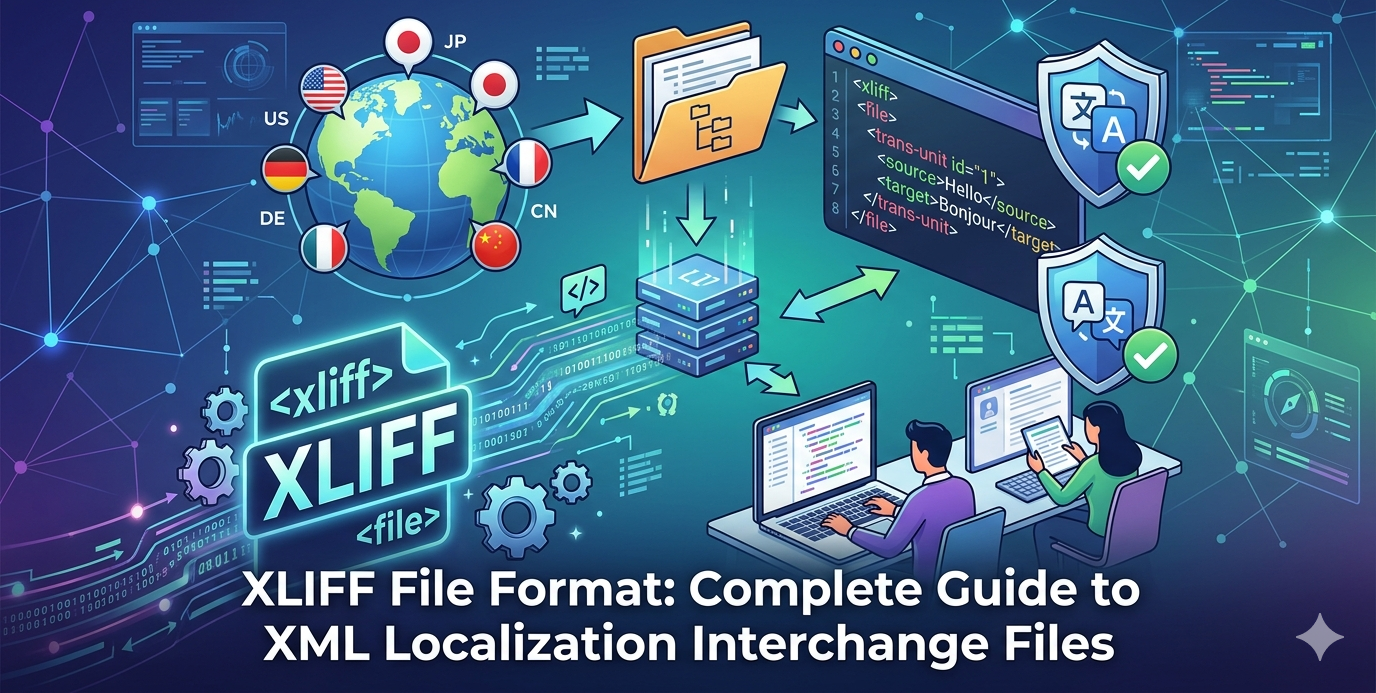
An XLIFF (XML Localization Interchange File Format) is a standardized file format used for exchanging translatable content between different translation and localization tools. In simple terms, it separates the original text from its translations, making it easier to manage multilingual content without affecting the structure of the original file. Therefore, XLIFF plays a crucial role in modern localization workflows, especially in eLearning, software, and website translation. Moreover, platforms like Doctor eLearning leverage XLIFF to ensure smooth, accurate, and scalable translation processes.
XLIFF Definition and Purpose
Firstly, XLIFF is designed to streamline the localization process by organizing content into clearly defined segments. Each segment contains the source text and its corresponding translated text, which helps maintain consistency across multiple languages.
In addition, XLIFF acts as a bridge between content creators and translators. Instead of working directly on design files or code, translators can focus only on the text. As a result, this reduces errors and speeds up the entire workflow.
Furthermore, tools like Doctor eLearning use XLIFF files to simplify complex eLearning translations, ensuring that content remains accurate while preserving course structure and functionality.
XLIFF File Structure and Components
To understand how XLIFF works, it’s important to look at its structure. Typically, an XLIFF file is organized into different components that make translation efficient:
- Source — The original text that needs to be translated
- Target — The translated version of the source text
- Trans-Unit — A segment that pairs source and target content
- Context Information — Provides additional details to help translators understand usage
- Metadata — Includes information such as language, tool details, and project data
Moreover, this structured approach ensures that nothing is lost during translation. Consequently, formatting, tags, and functionality remain intact.
With solutions like Doctor eLearning, handling XLIFF files becomes even more efficient, as the platform automates the process while maintaining both accuracy and design integrity.
How to Open and Edit XLIFF Files
Opening and editing XLIFF files requires tools that can handle structured localization data without breaking tags or formatting. Unlike regular documents, XLIFF files are XML-based, which means they must be edited carefully to preserve both content and structure. Therefore, choosing the right solution is essential for maintaining accuracy and efficiency. In this context, Doctor eLearning makes the process much simpler by allowing users to work with XLIFF files without any technical complexity.
Best Free XLIFF Editors
- Firstly, there are several free tools available for opening and editing XLIFF files.
- Tools like OmegaT and Virtaal provide a basic environment for translation tasks.
- In addition, they allow users to view source and translated text side by side, which improves clarity.
- However, these tools often lack automation and advanced workflow features.
- Therefore, they are better suited for small-scale or individual projects.
Professional CAT Tools for XLIFF
- On the other hand, professional CAT tools offer more advanced capabilities.
- Platforms like SDL Trados Studio, memoQ, and Smartcat include features such as translation memory and terminology management.
- Moreover, they are ideal for handling large and complex localization projects.
- However, they usually require training, setup, and paid licenses.
Why Doctor eLearning Is the Smarter Choice
- Instead of relying on multiple tools, Doctor eLearning provides an all-in-one solution for XLIFF file handling.
- It allows you to upload, translate, and download XLIFF files effortlessly.
- Furthermore, it preserves formatting and ensures that your eLearning content remains intact.
- In addition, there is no need for source files, which adds flexibility to your workflow.
- As a result, teams can save time, reduce errors, and streamline the entire localization process.
XLIFF vs Other Translation File Formats
When working with multilingual content, choosing the right file format is crucial for efficiency and accuracy. While XLIFF is widely used in localization workflows, other formats like TMX and TBX also play important roles. Therefore, understanding how they differ helps you select the best approach for your project. Moreover, tools like Doctor eLearning support these formats, making it easier to manage translations without disrupting your workflow.
XLIFF vs TMX vs TBX Comparison
| Format | Full Form | Primary Purpose | Key Features | Best Use Case |
|---|---|---|---|---|
| XLIFF | XML Localization Interchange File Format | Content exchange for translation | Structured format, separates source & target text, supports complex files | eLearning, software, website localization |
| TMX | Translation Memory eXchange | Stores previously translated segments | Reusable translation database, improves consistency | Maintaining translation memory across projects |
| TBX | TermBase eXchange | Manages terminology | Stores approved terms, definitions, and usage | Ensuring consistent terminology in translations |
Key Differences Explained
- Firstly, XLIFF is used for active translation workflows, as it contains the actual content that needs to be translated.
- In contrast, TMX is used to store past translations, which helps improve speed and consistency in future projects.
- Meanwhile, TBX focuses on terminology management, ensuring that specific terms are used correctly across all content.
Furthermore, while each format serves a different purpose, they often work together in a complete localization ecosystem. For example, XLIFF handles the translation, TMX stores the results, and TBX maintains terminology consistency.
With platforms like Doctor eLearning, you can seamlessly work with these formats without needing multiple tools. As a result, your localization process becomes more efficient, accurate, and scalable.
Working with XLIFF Files: Step-by-Step Guide
Working with XLIFF files may seem technical at first, but with the right approach, the process becomes straightforward and efficient. Therefore, understanding each step helps ensure accurate translations while maintaining file structure. Moreover, platforms like Doctor eLearning simplify this entire workflow, allowing you to manage XLIFF files without technical complexity.
Creating XLIFF Files from Source Documents
- Firstly, the process begins by converting your original content (such as DOCX, HTML, or eLearning files) into an XLIFF format.
- This step extracts all translatable text while keeping the design, structure, and formatting intact.
- Traditionally, this requires specialized tools or CAT software to generate the XLIFF file.
- However, with Doctor eLearning, you can directly upload your source document, and the platform automatically converts it into an XLIFF file.
- As a result, you save time and avoid manual file preparation.
- In addition, the extracted content is organized into segments, making it easier for translators to work efficiently.
- Consequently, this improves consistency and reduces the chances of errors during translation.
Why Doctor eLearning Is the Localization Service That Actually Works?
Choosing a localization service that delivers real results requires more than just basic translation capabilities. Therefore, Doctor eLearning stands out as a reliable, purpose-built solution designed specifically for modern eLearning and L&D teams.
Overview of Doctor eLearning and Its Mission
- Firstly, Doctor eLearning is focused on simplifying complex localization processes for eLearning content.
- Its mission is to make global learning accessible by enabling fast, accurate, and scalable translation.
- Moreover, it bridges the gap between content creation and multilingual delivery without technical complications.
Key Localization Features
- DOCX Translation — Easily translate Word documents while maintaining formatting and structure.
- XLIFF Translation — Supports industry-standard localization files for seamless workflows.
- 130+ Languages Supported — Enables global reach with support for multiple languages and regional variations.
- No Source Files Needed — Translate directly without relying on original editable files.
- SCORM Compression Built-In — Ensures LMS-ready output without additional processing.
- Media Editing (Images, Audio & Video) — Allows localization of multimedia elements within courses.
How It Fits Perfectly into the L&D Workflow
- In addition, Doctor eLearning integrates smoothly into existing Learning & Development processes.
- It eliminates the need for multiple tools by offering an all-in-one localization solution.
- Furthermore, its simple workflow (upload → translate → download) reduces dependency on external vendors.
- As a result, L&D teams can focus more on content quality and learner experience rather than technical challenges.
Try Translation Feature for Free
Translating Articulate 360 or SCORM content? Try Doctor eLearning free — upload your XLIFF or DOCX and get translated output in minutes.
FAQ
Q: How do I convert Word documents to XLIFF?
A: You can convert Word files using CAT tools or localization software. However, with Doctor eLearning, you can directly upload a DOCX file and it automatically converts it into XLIFF. As a result, the process becomes faster and hassle-free.
Q: Is Doctor eLearning free?
A: Yes — no credit card required to start.
Q: What software can open XLIFF files?
A: XLIFF files can be opened using tools like OmegaT, Virtaal, SDL Trados, and memoQ. However, these tools may require setup and expertise. Therefore, Doctor eLearning offers a simpler way to open and edit XLIFF files.
Q: Is XLIFF better than other translation formats?
A: XLIFF is highly efficient because it preserves structure and separates source and translated text. Moreover, it works well with other formats like TMX and TBX. Therefore, for eLearning, Doctor eLearning makes XLIFF even more powerful and easy to use.
Conclusion
In conclusion, the XLIFF file format is undoubtedly one of the most powerful and reliable standards available for eLearning translation and content localization today. As we have explored throughout this guide, XLIFF files offer a structured, efficient, and universally compatible way to manage multilingual content — making them an invaluable asset for instructional designers, L&D teams, and LMS administrators working on a global scale. However, having the right file format is only half the battle — what truly makes the difference is the tool you use to work with it. That is precisely where Doctor eLearning steps in, offering a fast, accurate, and incredibly simple platform to translate your XLIFF files into 130+ languages in just a few clicks, without ever needing your source files. So whether you are localizing your very first eLearning course or managing a large library of multilingual training content, Doctor eLearning gives you everything you need to do it efficiently and professionally.
