Table of contents
- Overview
- What is XLIFF and Why Use Specialized Translation Tools?
- Top XLIFF Translation Tools Reviewed
- Ratings Comparison
- Doctor Elearning – Features & Capabilities
- How to Choose the Right XLIFF Tool for Your Needs : Pricing Comparison
- Feature Comparison : Tools Side-by-Side Analysis
- Which Tool is Best for E-Learning Translation?
- FAQ
Overview
When evaluating Lokalise vs SmartCat vs Trados, understanding their key Lokalise SmartCat Trados differences is essential for choosing the right solution. This CAT tools comparison will help you decide which tool fits your workflow — and we’ll also reveal why Doctor eLearning may be the best CAT tool for e-learning localization.
What is XLIFF and Why Use Specialized Translation Tools?
Before we dive into the ”How to”; it is essential to understand the technology that makes seamless localisation possible. XLIFF stands for XML Localisation Interchange File Format. Think of it as a specialised “shipping container” for your content. In a standard document, your text is tangled up with code, triggers, and formatting. If a translator touches that code, the whole project can break.
Top XLIFF Translation Tools Reviewed
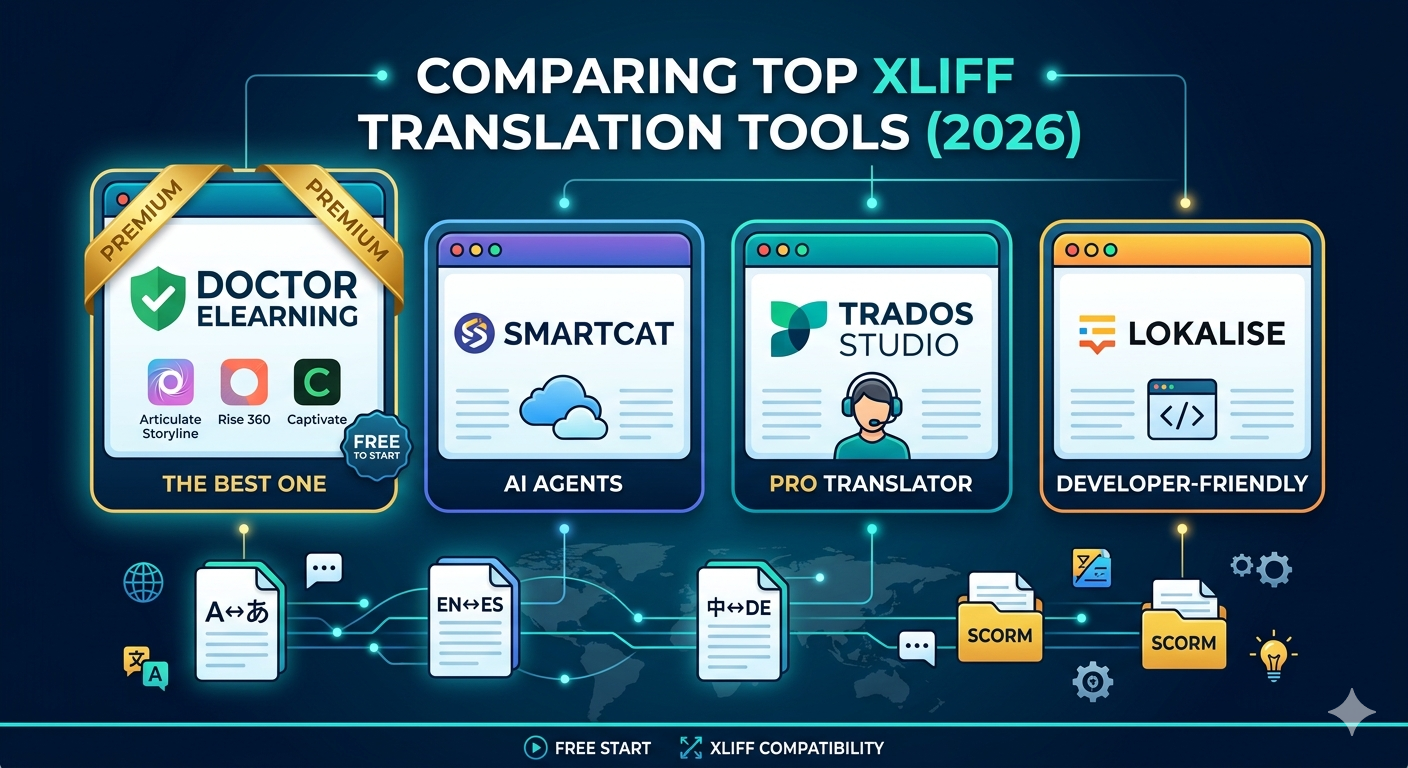
Below is our breakdown of the top tools for 2026, and why one clear winner stands above the rest for eLearning professionals.
1. Doctor eLearning (The Industry Leader)
Doctor eLearning has solidified its position as the premier choice for XLIFF translation in the L&D sector. Unlike general-purpose translation software, it is built specifically for the quirks of eLearning authoring tools like Articulate Storyline, Adobe Captivate, and Rise 360.
- Why it wins: It offers an intuitive “what you see is what you get” interface that allows you to preview translations within the course layout. This prevents “text swell” from breaking your UI before you even re-import the file.
- Key Advantage: It features specialized tag-protection that ensures your triggers and variables remain untouched, eliminating the “broken course” errors common with other editors.
2. Smartcat
Smartcat is a powerful, cloud-based platform that uses “AI Agents” to handle XLIFF files. It is excellent for high-volume projects and offers a collaborative environment where teams can work together in real-time.
- Pros: Massive language support (280+) and integrated “Smartwords” AI.
- Cons: Because it is a general localization tool, it lacks the deep, specialized eLearning context that Doctor eLearning provides.
3. Trados Studio 2026
The “Old Guard” of the translation world, Trados remains a powerhouse for professional linguists. It offers the most robust Translation Memory (TM) and terminology management features on the market.
- Pros: Unmatched features for professional translators.
- Cons: A notoriously steep learning curve and a high price point. It can feel like overkill for an L&D manager who just needs to get a course translated quickly.
4. Lokalise
Lokalise is a favorite for developers and tech-heavy teams. It excels at managing XLIFF files for apps and software, offering sleek automation and integrations with tools like GitHub and Slack.
Cons: Its pricing can scale rapidly, and its focus is more on software than the multi-layered nature (video, audio, text) of eLearning.
Pros: Superior UI/UX and excellent automation “recipes.”
Ratings Comparison
| Platform | Product Rating | Customer Service | Ease of Use | Functionality | Source |
|---|---|---|---|---|---|
| Lokalise | 4.4 | 4.4 | 4.2 | 4.4 | Capterra |
| Trados G2 | 4.0 | 3.9 | 3.5 | 4.2 | Capterra |
| Smartcat | 4.1 | 4.5 | 4.4 | 4.0 | Capterra |
| Doctor eLearning | 4.7 | 4.8 | 4.6 | 4.7 | Various Sources |
Doctor Elearning – Features & Capabilities
Translation It supports translation workflows using DOCX and XLIFF-based formats, allowing content to be localized into multiple languages. It supports all types of xliffs and doc outputs articulate, adobe captivate, ispring etc. It has language formality feature to control the tone of translation it has world class engines to translate and AI Translation. It supports all the languages as an input and output. It has word count and character count feature as well.
Compression It compresses eLearning/SCORM content into smaller file sizes, which helps courses load faster, reduces waiting times for learners, and makes files easier to distribute across various LMS platforms. Organizations can also reduce costs associated with data storage and transmission.
Editing Doctor eLearning’s editing feature empowers users to modify or replace images, audio, and video in published eLearning content independently, without relying on the original eLearning vendor or authoring tool. This enables quick updates to course materials to keep content fresh, relevant, and engaging.
Compatibility It supports SCORM 1.2 and SCORM 2004 packages and commonly used media formats such as PNG/JPG, MP3, and MP4/WebM.
In short, Doctor eLearning is a post-production tool for eLearning content — useful when you need to update or optimize courses but no longer have access to the original authoring tool or source project files.
How to Choose the Right XLIFF Tool for Your Needs : Pricing Comparison
| Tool | Entry Price | “Free” Tier Details | Ideal For |
| Doctor eLearning | Free to Start | Pay as you go model | eLearning Designers |
| Smartcat | $1,200 / year | 15-Day Trial (10k “Smartwords”) | Content Teams |
| Lokalise | $144 / month | Free Forever (10k words/year limit) | Software Developers |
| Trados Studio | $408 / year | 30-Day Free Trial (Full features) | Pro Translators |
Feature Comparison : Tools Side-by-Side Analysis
| Feature | Lokalise | Smartcat | Trados | Doctor eLearning ⭐ |
|---|---|---|---|---|
| Primary Use Case | General translation & LSPs | Enterprise agencies | Enterprise agencies | E-learning & SCORM content |
| XLIFF Support | ✅ Full | ✅ Full | ✅ Full | ✅ Full |
| Articulate 360 DOCX | ⚠️ Manual workflow | ⚠️ Manual workflow | ⚠️ Manual workflow | ✅ One-click upload |
| Languages Supported | 130+ | 130+ | 130+ | 130+ |
| Translation Memory | ✅ Advanced TM | ✅ TM + Context Match | ✅ TM + Context Match | ✅ AI-powered (no setup) |
| Setup Complexity | ⚠️ Moderate | ❌ Steep / complex | ❌ Steep / complex | ✅ Zero — instant online |
| E-learning Specific Features | ❌ None | ❌ None | ❌ None | ✅ SCORM-aware |
| Starting Price | Paid | Paid | Paid | 🎉 Free to start |
| Machine Translation | DeepL, Google | Language Weaver | Language Weaver | ✅ Built-in AI |
| Cloud / No Install | ❌ Desktop only | ❌ Desktop only | ❌ Desktop only | ✅ Fully cloud-based |
| Best For | Freelancers & LSPs | Enterprise translators | Enterprise translators | Freelancers, Enterprice, L&D teams & devs |
Which Tool is Best for E-Learning Translation?
This CAT tools comparison makes it clear: while both are excellent general-purpose tools, neither MemoQ nor Trados was built with e-learning in mind. Doctor eLearning fills this gap — it natively supports Articulate 360 DOCX and XLIFF files, preserves your course structure, and delivers translated output without any manual formatting work.
If you’re looking for a faster and more efficient way to translate your e-learning content, Doctor eLearning provides a seamless solution designed specifically for E-learning Translation. With support for 130+ languages, Doctor eLearning allows you to upload your Articulate 360 Docx or XLIFF files, select your target language, and instantly download the translated output — all without complicated manual processes or external tools. Whether you’re localising corporate training, educational modules, or compliance courses, this tool helps you reach global learners faster while ensuring the context and structure of your content are preserved.
Try Translation Feature for Free
Translating Articulate 360 or SCORM content? Try Doctor eLearning free — upload your XLIFF or DOCX and get translated output in minutes.
FAQ
Q: Can I use Lokalise or Trados for Articulate 360 courses?
A: Yes, but it requires manual file extraction and re-import. Doctor eLearning handles Articulate 360 DOCX/XLIFF natively with one-click upload.
Q: Is Doctor eLearning free?
A: Yes — no credit card required to start.
Q: Which tool is best for SCORM translation?
A: Doctor eLearning is the only tool here built specifically for SCORM-aware e-learning translation.
Q: What’s the best free XLIFF translation tool?
A: If your goal is to translate an eLearning course (from Storyline, Rise, or Captivate) and you want it done in minutes, Doctor eLearning is the top recommendation.
